Best 6 Skills for Turning Long Videos into YouTube Shorts (2026)
Six TubeMarket skills that turn a long talking video or podcast into a 9:16 Short: transcript, silence cuts, reframe, punch-in zooms, captions, and one local pipeline. Fit only.
By TubeMarket · · youtube shorts, repurposing, podcast, talking head, faceless youtube
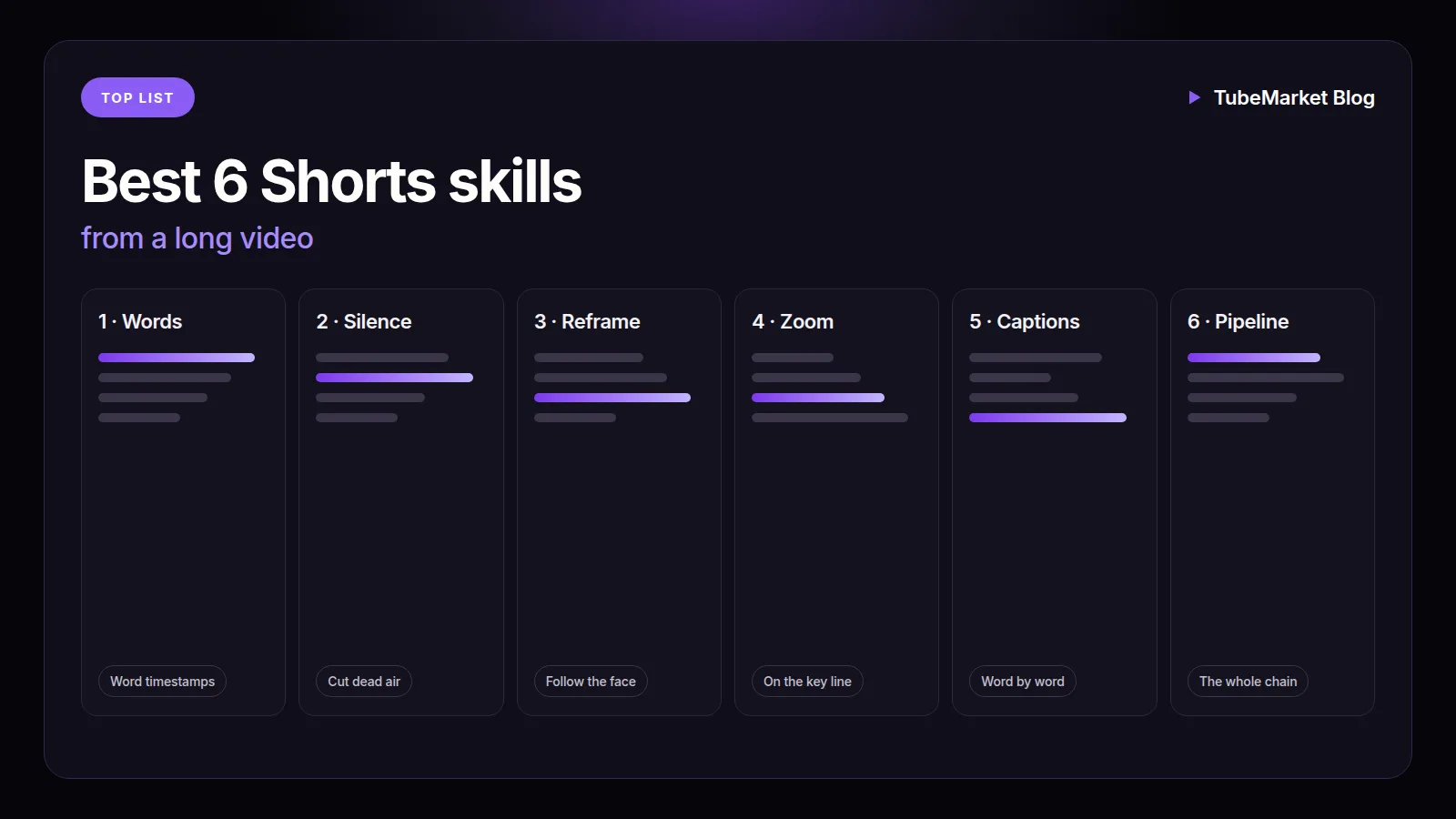
A long video becomes a Short only after someone chooses a section, then makes that section vertical, tight, and readable with the sound off. The hook, the crop, the zooms and the captions are steps of that job. This guide ranks the TubeMarket skills whose job is one of those steps on footage you already have: a podcast, a talking-head recording, or a long clip. It is a fit ranking: which step the skill is built for, where it runs, and what the listing and the skill file actually say. It is not a watch-time study, and it does not invent views, ratings or revenue.
Six automation skills do a step of that cut, or the chain of those steps. A directory is not included. A tool that trims the file without re-encoding is linked later, not ranked. A custom GPT that writes a script and an SEO line is filed on the shelf as a tool, so it is not in this ranking. Full editors are covered in Best AI video editing tools for YouTube. The same six skills, judged as a general edit rather than as a long-to-Short job, sit beside a motion-graphics skill in Best 5 skills for YouTube video editing.
We judged each skill on four things:
- Step: a word-level transcript, a silence cut, a vertical crop, punch-in zooms, burned-in captions, or that whole chain
- Where it runs: on your machine with ffmpeg
- Access: the listing price, and whether the listing says it needs an API key
- What we can check: the TubeMarket listing, and the skill file on 12 November 2026
Quick picks
- Words and timestamps, so you can see the long file: local-whisper-transcriber
- Silence and filler words on the section you kept: silence-cutter, local ffmpeg
- 16:9 to vertical, following a face: auto-reframe, local ffmpeg
- Punch-in zooms on emphasised words: punch-zoom, local ffmpeg
- Word-by-word captions, burned in last: word-captions, local ffmpeg
- That whole chain, in one skill: video-shorts-pipeline, local ffmpeg
A talking-head channel and a podcast use the same six on a section you already chose. A faceless channel that never films a person does not get a seventh skill here. The pictures for that path are a different job, linked below.
TubeMarket catalog, ranked
The order below is the order of the work on a long recording. It is not a quality score. None of the six picks the moment. You do.
1. local-whisper-transcriber: the words in the long file
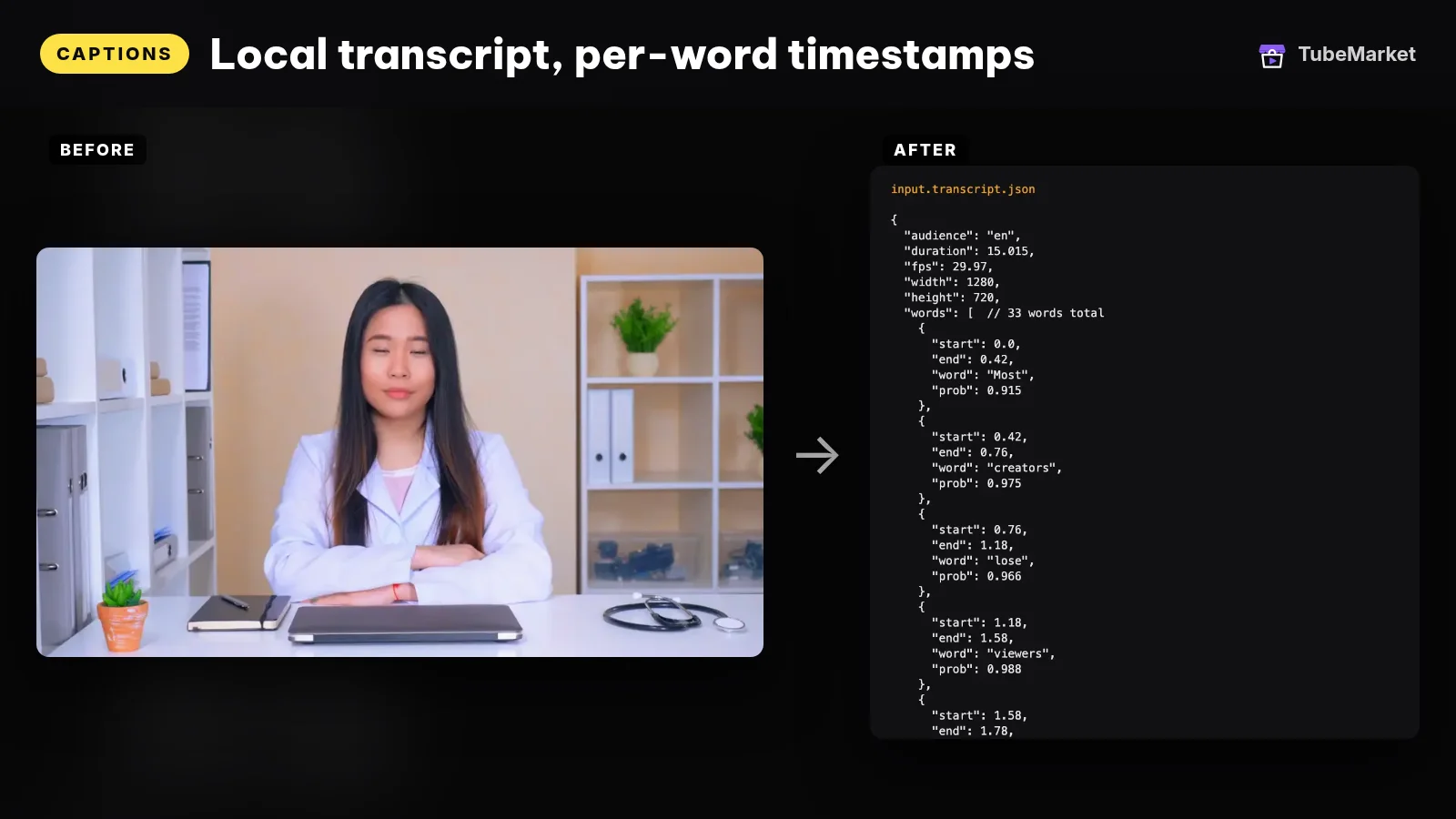
The listing title is "Transcribe word by word with local Whisper". The shelf files it as an automation skill for Captions, free, MIT, owned by TubeMarket Studio. The listing says it makes word-level timestamped transcripts, Whisper runs locally and detects the language, and it needs no API key. The requires line is Claude Code or Cursor, Python 3.10+, and ffmpeg. Formats on the listing are Talking head and Podcast.
The skill file calls it step 0. The other video skills read this JSON. They do not read the pixels. The file says it runs offline after the model downloads once. --audience auto lets Whisper detect the language, then re-checks the result. vi and en force a language. The output it names is a JSON file with a start and end on every word.
The same file says a Vietnamese transcript should use large-v3, because smaller models get word timestamps wrong on short syllables and captions drift. That is the file's instruction, not a score we measured. It also says an aligner that rebuilds timestamps from audio energy is good enough for captions and punch zoom, and not good enough for an aggressive silence cut. Prefer the Whisper word-level file when you have it.
- Pros: the long recording becomes a file you can read, with a time on every word, on your machine, with no API key. The silence, zoom and caption skills all ask for this file.
- Cons: it does not choose a clip. A timestamp is not a hook. The file says the model choice matters for Vietnamese word timing, so a tiny model is the wrong shortcut on that language.
Use this for the read of the long video. You still mark the section that can stand alone as a Short.
2. silence-cutter: tighten the section you kept
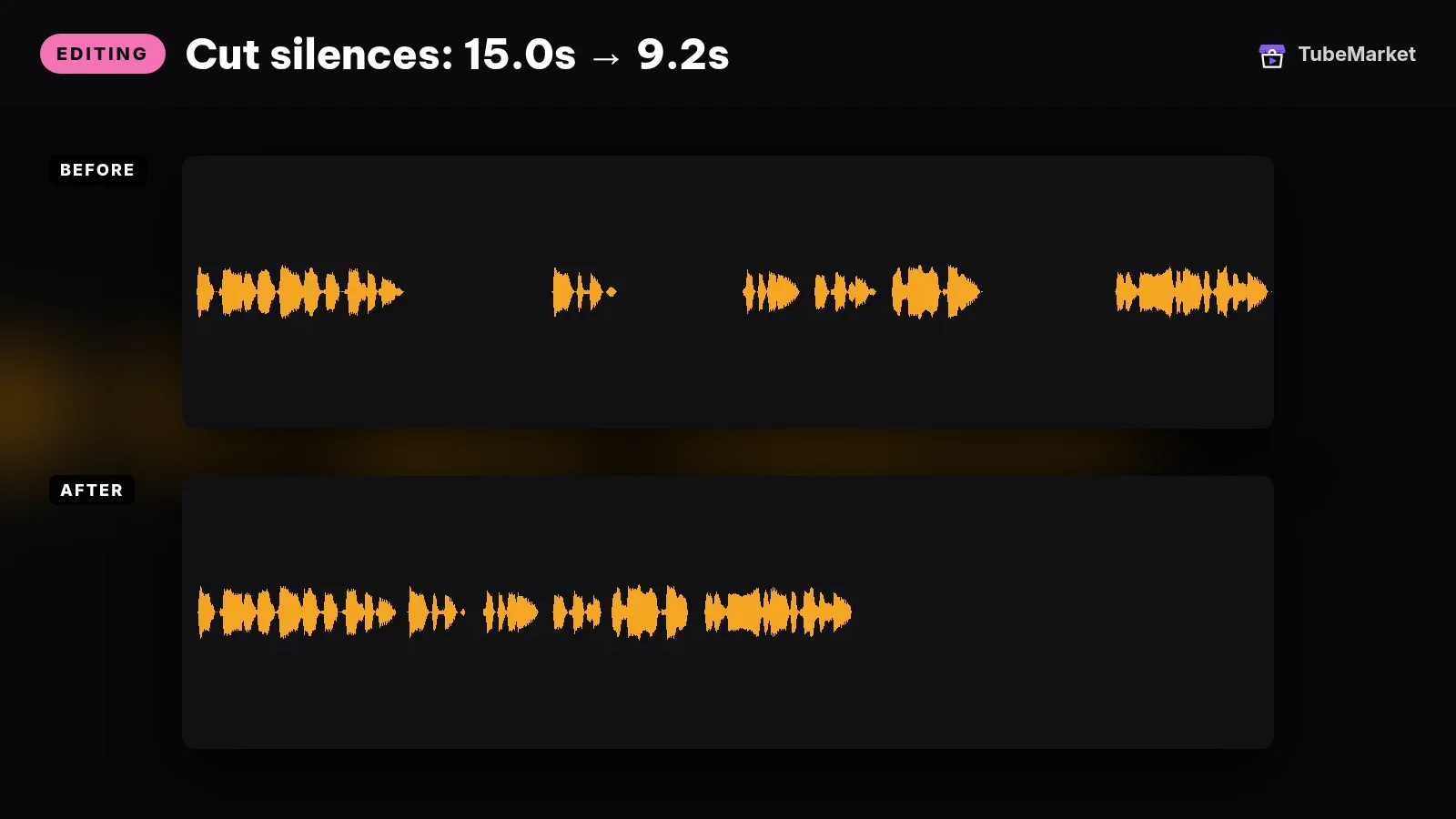
The listing title is "Cut silences and filler words from talking videos". The shelf files it under Editing. Free, MIT, TubeMarket Studio. The listing says it removes silences and fillers such as um and uh, runs ffmpeg on your machine, and needs no API key. Same requires line. Formats on the listing are Talking head and Podcast.
The skill file says it cuts from a transcript, not only from loudness. Volume finds where nobody speaks. The transcript also finds where someone speaks and says nothing. Both get cut. It needs the word-level transcript first.
The same file names three modes. aggressive multiplies the pause threshold by 0.7, for Shorts that need a tight pace. balanced is 1.0, the default. gentle is 1.5, for podcasts that need breathing room. It says the Vietnamese preset uses −34 dB and 380 ms, and the English preset uses −30 dB and 300 ms, because an English threshold can cut a Vietnamese sentence in half. --keep-fillers keeps filler words and only cuts silence. --dry-run writes the keep-list and does not render.
The outputs named in the file are the cut video and an .edl.json keep-list, so later skills can remap timestamps. The file says the original transcript timestamps are wrong after the cut.
- Pros: the rough tighten of a talking section, on your machine, with a dry run before a render. The aggressive mode is the one the file names for a Short.
- Cons: it needs the transcript. It does not decide which ten minutes of a podcast belong in the Short. An aggressive cut can clip a breath or a joke, so read the keep-list.
Use this for the silence cut, after you have already trimmed the long file down to the section.
3. auto-reframe: the 9:16 crop
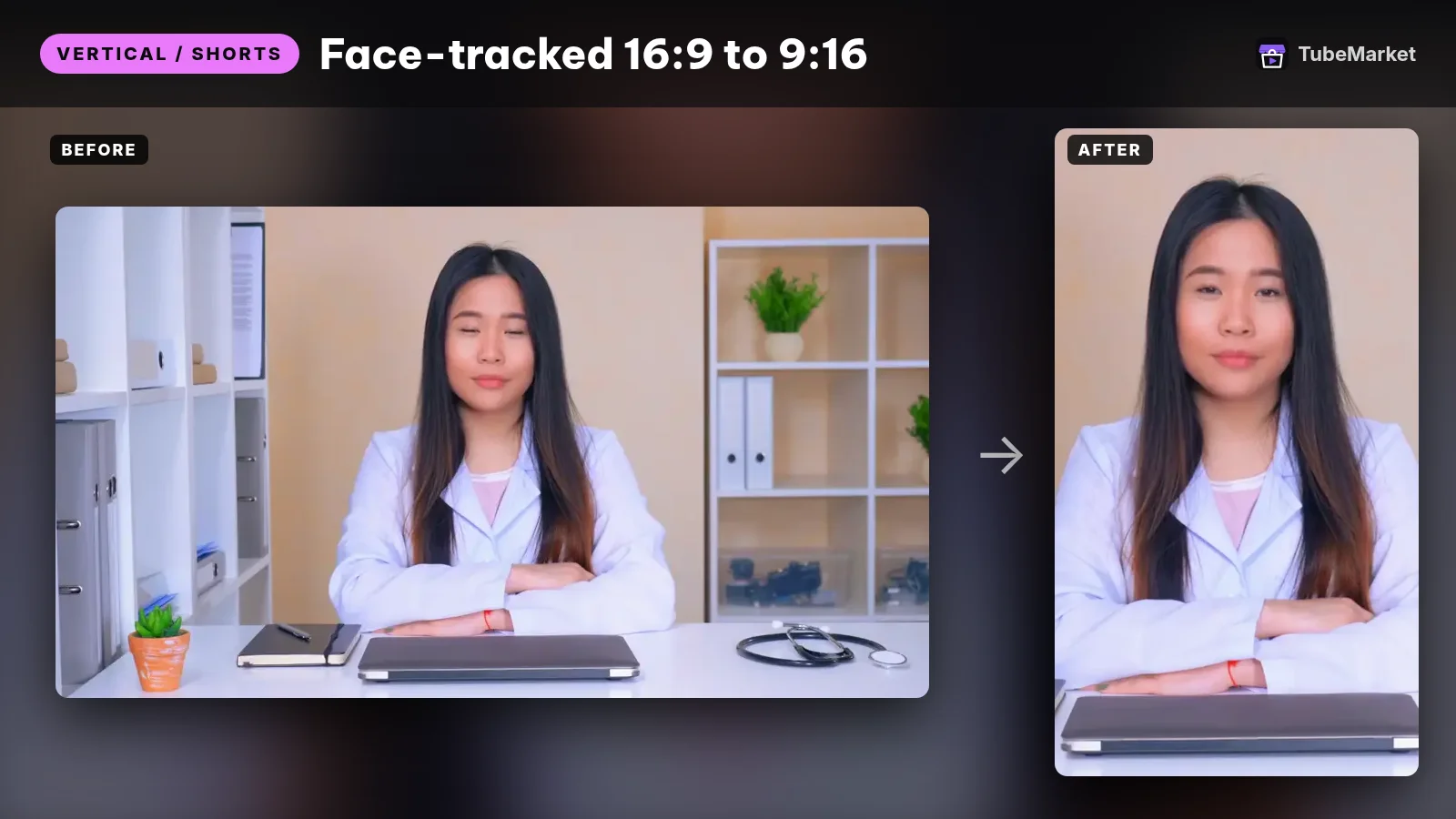
The listing title is "Reframe landscape video to vertical automatically". The shelf files it under Vertical / Shorts. Free, MIT, TubeMarket Studio. The listing says it converts 16:9 to 9:16, follows the speaker, and uses hard cuts. No API key. Same requires line. Formats on the listing are Shorts and Podcast.
The skill file says it can also target 4:5 or 1:1. --mode face uses MediaPipe and picks the largest face. --mode center is a centre crop. --mode top pins a horizontal centre crop to the top edge, for screen recordings. It does not need a transcript.
The file says a crop that follows the face every frame looks like a shaky camera. The script holds the frame and jumps only after the speaker has moved and stayed there. The defaults it names are --min-hold 1.2 seconds and --jump 6% of the width. --dry-run writes a .reframe.json plan.
The file's own limits: with several people in frame it tracks the largest face, not the person who is speaking. Without MediaPipe installed it falls back to a centre crop and says so.
- Pros: the vertical step for a Short, from a podcast or talking-head file you already shot wide. You can read the crop plan before the render.
- Cons: two people side by side are the case the file says it gets wrong. A faceless frame with no face has nothing for face mode to follow. Use centre or top, which the file also names.
Use this for the reframe, after the silence cut and before the zooms. The punch-zoom file says to run zooms after the frame is already 9:16.
4. punch-zoom: punch-ins on the words
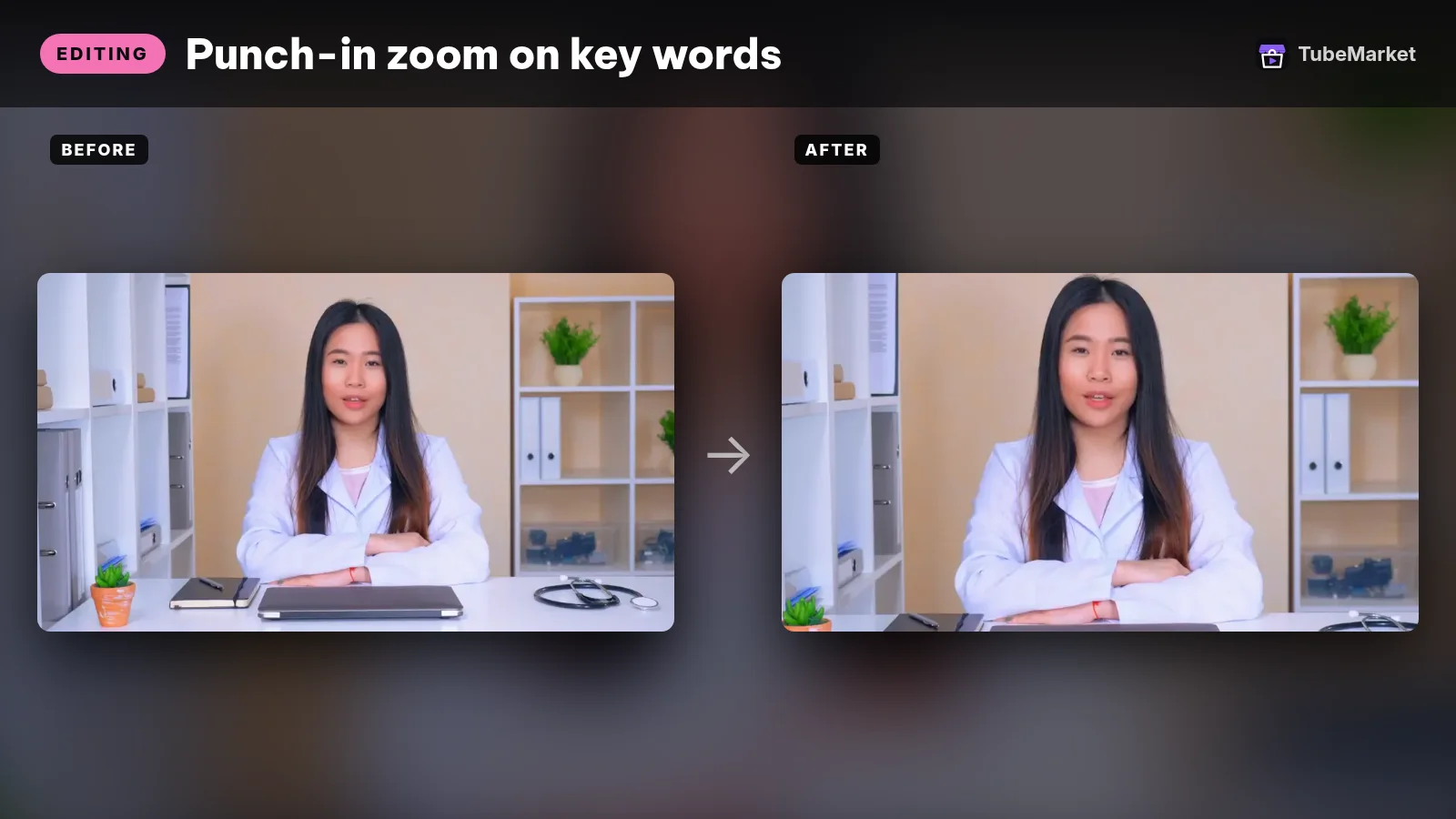
The listing title is "Keep viewers hooked with punch-in zooms". The shelf files it under Editing. Free, MIT, TubeMarket Studio. The listing says it adds punch-in zooms on emphasised words and slow push-ins on long takes, with no API key. Same requires line. Formats on the listing are Talking head and Shorts.
The skill file describes two motions, both tied to the speech. A punch is an instant zoom on the emphasised word, held to the end of the clause. A push is a slow Ken Burns move under a long passage. It reads the transcript. --density is zooms per second. The file says 0.12 is about one zoom every 8 seconds, the default it names for a 30–60 second short, and that a 15 second video can use 0.2. --dry-run prints the zoom points and does not render.
The file scores a word from a keyword list, from a number, from a pause before the word, and from a stretched sound, then enforces a minimum gap of 2.2 seconds between zooms. It says the English preset zooms to 1.22 and the Vietnamese preset to 1.18. For video that is already 9:16, run this skill after auto-reframe.
- Pros: motion on a locked-off talking head, chosen from the words, without keyframes drawn by hand. The dry run shows which words it picked.
- Cons: it needs the transcript. A higher density means more zooms, and that number is yours to set. The 1.18 and 1.22 figures are presets in the file, not a test of what holds attention. A zoom is not a hook. The first line is still yours.
Use this for the punch-in, after the frame is the frame you will export.
5. word-captions: captions, burned in last
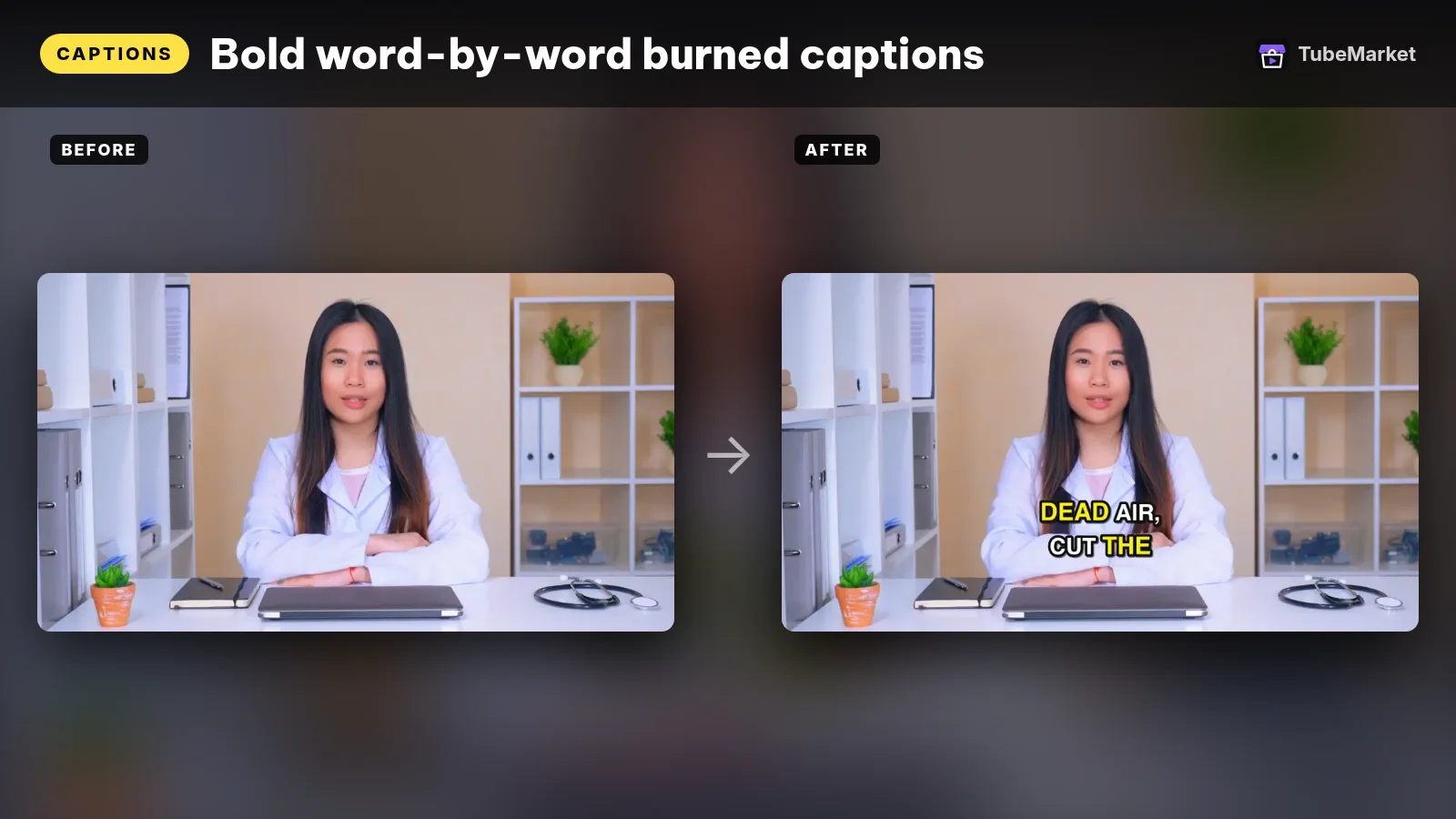
The listing title is "Burn word-by-word animated captions into video". The shelf files it under Captions. Free, MIT, TubeMarket Studio. The listing says it burns animated captions one word at a time, with full Unicode support, and needs no API key. Same requires line. Formats on the listing are Shorts and Talking head.
The skill file says it writes an .ass file with one event per word, then burns it with ffmpeg. The spoken word changes colour and scales up. It needs the transcript from local-whisper-transcriber. --style bold is a thick outline. --style clean is a thin outline. --ass-only writes the subtitle file without burning it, so you can adjust it in another editor.
The file names two audience presets. English uses full capitals, 2 words a line, and Montserrat. Vietnamese does not use full capitals, uses 4 words a line, and Be Vietnam Pro. The file's reason for skipping full capitals in Vietnamese is that accented capitals clip in many fonts. A line also breaks at a pause longer than 0.8 seconds, so a caption does not sit on screen through a silence. Those are presets in the file, not a caption test we ran.
Burn this last. A later crop slices text that was drawn for the wide frame. The pipeline file says the same thing: captions are the last step so the text is not cropped away.
- Pros: on-screen words for a Short watched with the sound off, from the transcript you already made, with no API key.
- Cons: it does not write the hook, and it does not check that the transcript is right. A wrong word gets burned in. After a silence cut, the old timestamps are wrong until they are remapped.
Use this for the captions, after the reframe and the zooms.
6. video-shorts-pipeline: the chain, not the highlight
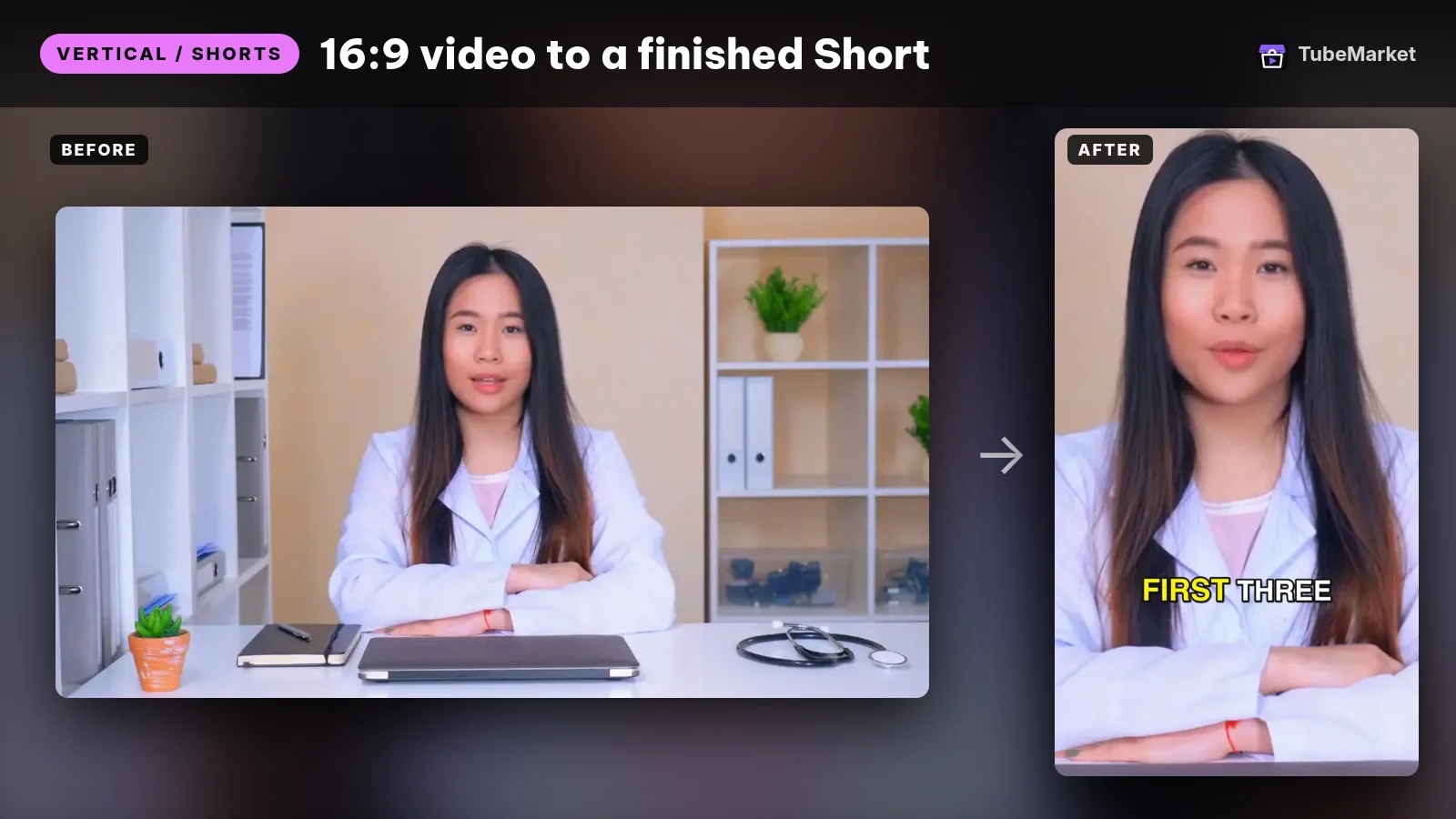
Turn a raw talking video into a finished 9:16 Short
 video-shorts-pipeline · by TubeMarket Studio
Turn one raw talking video into a finished 9:16 Short: transcript, silence cuts, face tracking, zooms, captions. No API key needed.
For: Vertical / Shorts, Editing · Shorts, Talking head
The listing title is "Turn a raw talking video into a finished 9:16 Short". The shelf files it under Vertical / Shorts, Editing and Captions. Free, MIT, TubeMarket Studio. The listing says it does the transcript, the silence cuts, face tracking, zooms and captions, with no API key. Same requires line. Formats on the listing are Shorts and Talking head.
The skill file calls it an orchestrator. It runs the other video skills in this order: transcribe, cut silence, remap the old timestamps onto the new timeline without running Whisper again, reframe to vertical, punch zoom, then captions last. The default aspect it names is 9:16. It also names 4:5 and 1:1. --dry-run writes the plan files and does not render. --skip can drop a step. The file says an existing transcript is reused, not transcribed again.
The limits in the file are the point of this page. One speaker, one camera angle. It does not pick the best moment from a long video. It edits the whole file you give it. To take a highlight from a 30-minute recording, rough-cut that section first.
- Pros: one skill runs the order the other files already ask for, including the timestamp remap so you do not transcribe twice.
- Cons: you do not get a timeline to drag clips around. A two-person interview is the case the file says is not built. Hand it a full podcast and it will cut, crop and caption the whole podcast. It will not find the Short inside it.
Use this when the deliverable is the finished vertical file of a section you already cut, and you will read the dry-run plans. Use the five skills above when you only need one of those steps.
A practical repurposing workflow
Chain them in this order. Skip a step when you do not need that job.
- Choose the section yourself. A Short is one point a stranger can follow without the rest of the episode. None of these six listings says the skill finds that point. The pipeline file says to rough-cut a highlight out of a long recording first. A trim that does not re-encode is the tool LosslessCut. It is a tool, ranked in the tools guide, not one of the six skills.
- If the long video is only a link, and you want the words before you have a file, claude-skill-video-transcribe turns a YouTube or Bilibili link into a full text transcript for scripts, notes or research. The listing says it needs a Gemini API key, and that it outputs plain text. Plain text does not feed the silence, zoom or caption skills. Those read the word-level JSON from the next step. This skill is not in the ranking.
- Transcribe the section with local-whisper-transcriber. Read it. If the section does not make sense alone, pick a different section before you render anything.
- Cut silences with silence-cutter. Use the dry run. The file names aggressive for a tight Short and gentle for a podcast that should still breathe.
- Reframe with auto-reframe when the export is vertical. Read the plan. If two people share the frame, the file says it follows the largest face.
- Add punch-ins with punch-zoom after the reframe. Run the dry run and drop a zoom that lands on a throwaway word.
- Write the hook yourself. Put the point in the first line. None of these listings says it writes that line. Script skills for a draft, a structure pass and an SEO line are ranked in Best 3 skills for YouTube scriptwriting. The SEO writer on that page, mySCRIPTGenius360, is filed on the shelf as a tool, so it is not a seventh skill here.
- Burn captions last with word-captions. Other caption listings are in Best AI caption tools for YouTube.
- Or run steps 3 to 6 and 8 with video-shorts-pipeline, on the section, not on the full episode. Dry-run first. The file says to look at the plan files, adjust the preset, then render.
- Leave pictures and voice as their own jobs when the Short is faceless. B-roll Prompt Director writes prompts for cutaways. It does not place them on a timeline. It is ranked in Best AI B-roll tools for faceless YouTube. The voice is covered in Best AI voiceover tools for faceless YouTube. Motion built in code, rather than cut from a camera file, is the Remotion skill in the editing skills guide.
Browse the vertical listings on the Vertical / Shorts stage. Silence and zoom also sit on the Editing stage. The transcript and the captions sit on the Captions stage. For a filmed Short, start from Shorts. A talking-head channel can start from talking head. A podcast source can start from podcast. For a faceless channel, start from faceless storytelling.
How to choose
- Start with the transcript when the source is long and you need to see what was said. That is
local-whisper-transcriber. The skill shows you the words. You still pick the section. - Add the silence cut when the section drags. That is
silence-cutter. Use the mode the file names for the format. - Add the reframe only when the export is vertical. That is
auto-reframe. A 16:9 video does not need it. - Add zooms after the frame is final. That is
punch-zoom. - Burn captions after every crop. That is
word-captions. - Use the pipeline when you want those steps together, on a section you already trimmed, in the order the files specify. That is
video-shorts-pipeline. - All six run locally. Their listings say they need no API key. They do need ffmpeg, Python 3.10+, and Claude Code or Cursor, which is the requires line.
- Keep the taste. The skill can cut a pause and crop a face. You still decide which moment is the Short, the first line, and the title.
On the shelf, but not these Shorts skills
Real listings. A different job, so they are not in the ranking above.
- A transcript of a link, not a cut. claude-skill-video-transcribe is an automation skill. The listing title is "Turn YouTube and Bilibili videos into text". The description says it turns a YouTube or Bilibili link into a full text transcript you can mine for scripts, notes or research, and that it needs Claude Code and a Gemini API key. What the listing says is inside: a Claude skill for video transcription, YouTube and Bilibili, plain text. The license on the listing is not stated. Plain text is a reading of the long video. It is not the timestamped JSON the other five skills consume.
- A prompt skill, not a cut. B-roll Prompt Director writes shot prompts matched to each line of a script, ready to paste into the image or video tool you already use. The listing says it needs no API key. Use it when a faceless Short needs cutaways. It does not reframe the long file.
- Motion graphics in code. remotion-dev-skills teaches an agent to write Remotion video code. Remotion skills pack is the same family, described on its listing as 13 preinstalled skills. They build a picture. They do not crop a podcast. They are discussed in the editing skills guide.
- A skill that builds a new video. claude-code-video-toolkit is filed under Script, Voiceover and Editing. The TubeMarket title is "Produce Remotion videos with Claude Code". The license on the listing is MIT. Use it when the deliverable is a produced video, not a cut of a recording you already have.
- The hook and the title. The script ranking is Best 3 skills for YouTube scriptwriting. This page does not repeat it. No listing in that ranking says its only job is the first line of a Short cut from a long video.
- Tools. LosslessCut, auto-editor, autocut, Shotcut, Descript and CapCut are tools. They are ranked, with their limits, in Best AI video editing tools for YouTube.
Comparison
- local-whisper-transcriber: Captions; free; MIT; local Whisper; word-level timestamps; does not pick a clip
- silence-cutter: Editing; free; MIT; local ffmpeg; cuts silences and fillers from that transcript; aggressive is the mode the file names for a Short
- auto-reframe: Vertical / Shorts; free; MIT; local; 16:9 to 9:16, 4:5 or 1:1; tracks the largest face, not the active speaker
- punch-zoom: Editing; free; MIT; local; a punch and a slow push, chosen from the transcript; run it after the reframe
- word-captions: Captions; free; MIT; local; burns one word at a time; run it last so a crop does not slice the text
- video-shorts-pipeline: Shorts, Editing and Captions; free; MIT; local; runs transcribe, cut, reframe, zoom and captions; edits the whole file you give it and does not pick a highlight
- claude-skill-video-transcribe: not in this ranking; plain text from a YouTube or Bilibili link; listing says it needs a Gemini API key; license not stated
- broll-prompt-director: not in this ranking; writes cutaway prompts; does not crop the long file
Prices and plans change. Verify them on each project's page.
FAQ
What are the best skills for turning a long video into a YouTube Short? On TubeMarket, the automation skills whose job is a step of that cut are local-whisper-transcriber, silence-cutter, auto-reframe, punch-zoom, word-captions and video-shorts-pipeline. "Best" here means which step they fit. We did not score them against each other.
Which skill finds the best moment in a long podcast? None of them. The pipeline file says it edits the whole file you give it, and that a highlight from a long recording has to be rough-cut first. The transcript skill gives you the words and the times so you can choose. It does not choose for you.
Do these skills write the hook or the title? No. The hook is the point, in the first line, and you write it. Titles and a script draft are the script ranking linked above. The SEO writer on that page is filed as a tool, so it is not in this list of six.
Do faceless channels use the same skills? Use them when the source is a person talking and you are cutting that recording. silence-cutter, punch-zoom and word-captions expect a transcript of speech. auto-reframe's face mode expects a face. A Short built from type, charts or generated shots uses the Remotion skills and B-roll Prompt Director, linked above, not this crop.
Should I render before the dry run? The silence, reframe, zoom and pipeline files each describe a dry run that writes a plan and does not render. The pipeline file says to look at those plans, adjust the preset, then render. Use that order. Hand the pipeline the section, not the full episode.
Will a Shorts skill get the video views? A cut is one step. The hook, the title, the thumbnail and whether anyone stops are separate. This page does not quote views, watch time or revenue.
Catalog gaps
TubeMarket does not yet list:
- a skill that picks the best moment out of a long recording (the pipeline file says that is not its job),
- a skill whose only job is the first line of a Short,
- a skill whose only job is the Short title, description and tags (the SEO writer on the shelf is filed as a tool),
- active-speaker detection for two people in one frame (the auto-reframe file and the pipeline file both say this is missing),
- a skill that turns a plain-text YouTube transcript into the word-level timestamps the cut skills read.
The six skills in this ranking are documented in the public skill files linked below. The YouTube-link transcriber does not state a license. That gap is real.
Sources
- TubeMarket, local-whisper-transcriber: https://tubemarket.io/item/local-whisper-transcriber/
- TubeMarket, silence-cutter: https://tubemarket.io/item/silence-cutter/
- TubeMarket, auto-reframe: https://tubemarket.io/item/auto-reframe/
- TubeMarket, punch-zoom: https://tubemarket.io/item/punch-zoom/
- TubeMarket, word-captions: https://tubemarket.io/item/word-captions/
- TubeMarket, video-shorts-pipeline: https://tubemarket.io/item/video-shorts-pipeline/
- TubeMarket, claude-skill-video-transcribe: https://tubemarket.io/item/jane-xiaoer-claude-skill-video-transcribe/
- TubeMarket, B-roll Prompt Director: https://tubemarket.io/item/broll-prompt-director/
- local-whisper-transcriber skill file, checked 12 November 2026: https://github.com/wanghie/tubemarket-skills/blob/main/skills/local-whisper-transcriber/SKILL.md
- silence-cutter skill file: https://github.com/wanghie/tubemarket-skills/blob/main/skills/silence-cutter/SKILL.md
- auto-reframe skill file: https://github.com/wanghie/tubemarket-skills/blob/main/skills/auto-reframe/SKILL.md
- punch-zoom skill file: https://github.com/wanghie/tubemarket-skills/blob/main/skills/punch-zoom/SKILL.md
- word-captions skill file: https://github.com/wanghie/tubemarket-skills/blob/main/skills/word-captions/SKILL.md
- video-shorts-pipeline skill file: https://github.com/wanghie/tubemarket-skills/blob/main/skills/video-shorts-pipeline/SKILL.md
- tubemarket-skills repository (MIT on the GitHub license field, checked 12 November 2026): https://github.com/wanghie/tubemarket-skills
- Related posts: Best 5 skills for YouTube video editing, Best 3 skills for YouTube scriptwriting, Best AI video editing tools for YouTube, Best AI caption tools for YouTube, Best AI B-roll tools for faceless YouTube, Best AI voiceover tools for faceless YouTube