Best 4 Skills for YouTube Captions and Subtitles (2026)
The best skills for YouTube captions and subtitles on TubeMarket: a local word-level transcript, a word-by-word burn, captions inside a Remotion video, and a plain-text transcript from a link. Fit only.
By TubeMarket · · youtube captions, subtitles, shorts, faceless youtube
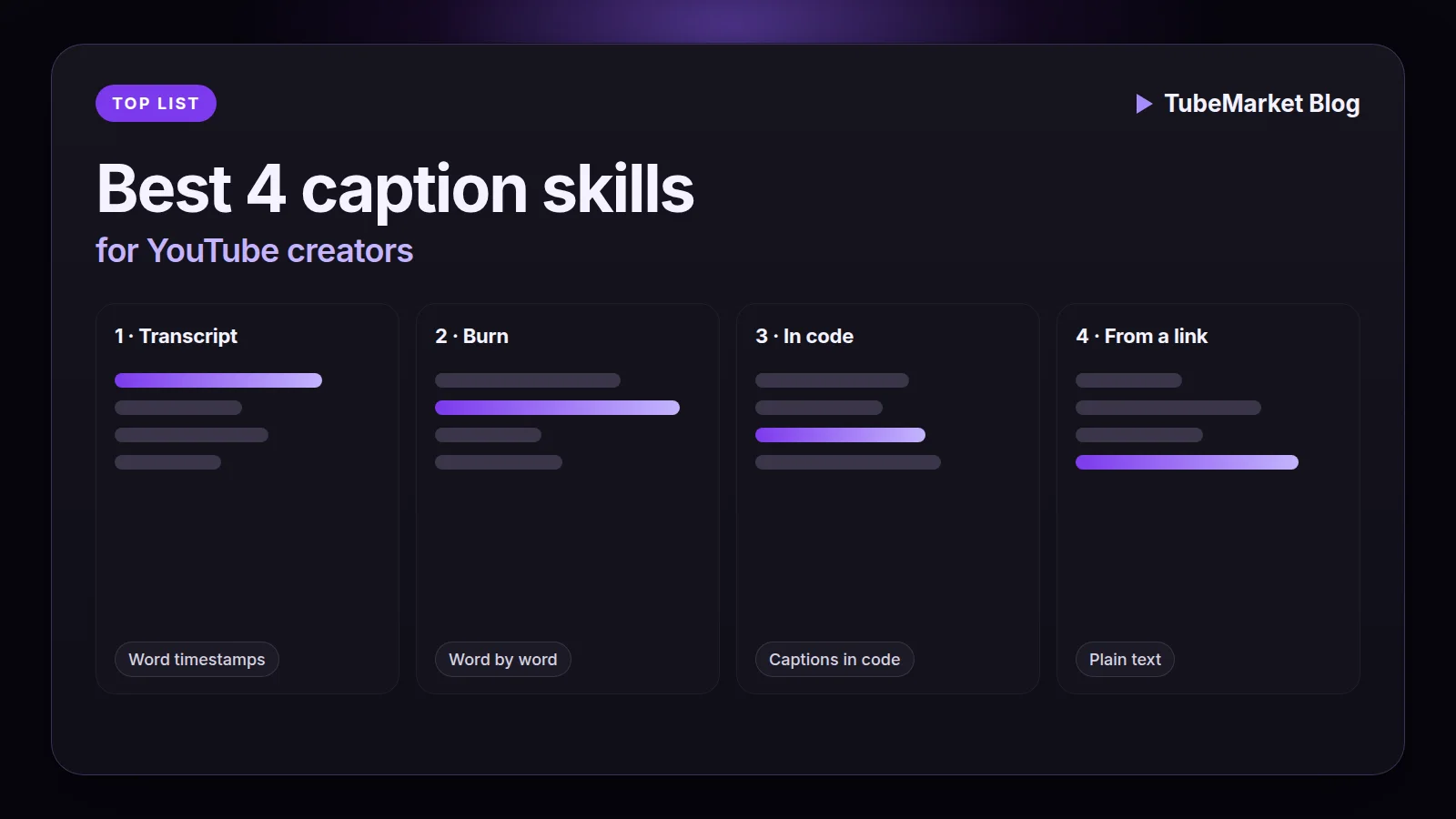
A caption is the words a viewer reads while the voice speaks. On a Short, those words are often burned into the frame so the video works with the sound off. On a long video, they can also be a subtitle file YouTube hosts as a track. A transcript is the words and the times before either of those exists. This guide ranks the caption skills on the TubeMarket shelf. It is a fit ranking: which step the skill is built for, where it runs, and what the listing and the skill file actually say. It is not an accuracy test, and it does not invent views, ratings or revenue.
The Captions stage also lists tools: speech models, desktop apps, translation projects and hosted spaces. Those are ranked in Best AI caption tools for YouTube. This page ranks four automation skills. Two write the timings or the burn for a file on your machine. One tells an agent how to caption a video built in code, including how to import an SRT you already have. One turns a link into plain text, and tries existing subtitles before it transcribes. A directory is not included. A tool that exports an SRT, or that translates a subtitle, is linked later, not ranked. The same local transcript and burn, judged as one step of a long-to-Short cut, sit inside Best 6 skills for turning long videos into YouTube Shorts.
We judged each skill on four things:
- Step: a word-level transcript, a burned-in word-by-word caption, captions inside a video built in code, or plain text from a link
- Where it runs: on your machine with ffmpeg, inside an agent that writes Remotion, or through a transcript script that can call Gemini
- Access: the listing price, and whether the listing says it needs an API key
- What we can check: the TubeMarket listing, and the skill file on 13 November 2026
Quick picks
- Word timings for a file on your machine: local-whisper-transcriber
- Word-by-word burn, including Vietnamese diacritics: word-captions
- Captions inside a video you build in code, or an SRT you already have: remotion-dev-skills, the
/remotion-captionsskill - Plain text from a YouTube or Bilibili link: claude-skill-video-transcribe
A talking-head channel, a faceless channel and a Shorts channel use the same four. The format changes the frame, and whether you burn the words. It does not add a fifth caption skill to the shelf.
TubeMarket catalog, ranked
The order below is the order of the work on a file you already have, then the two other paths. It is not a quality score.
1. local-whisper-transcriber: the word file
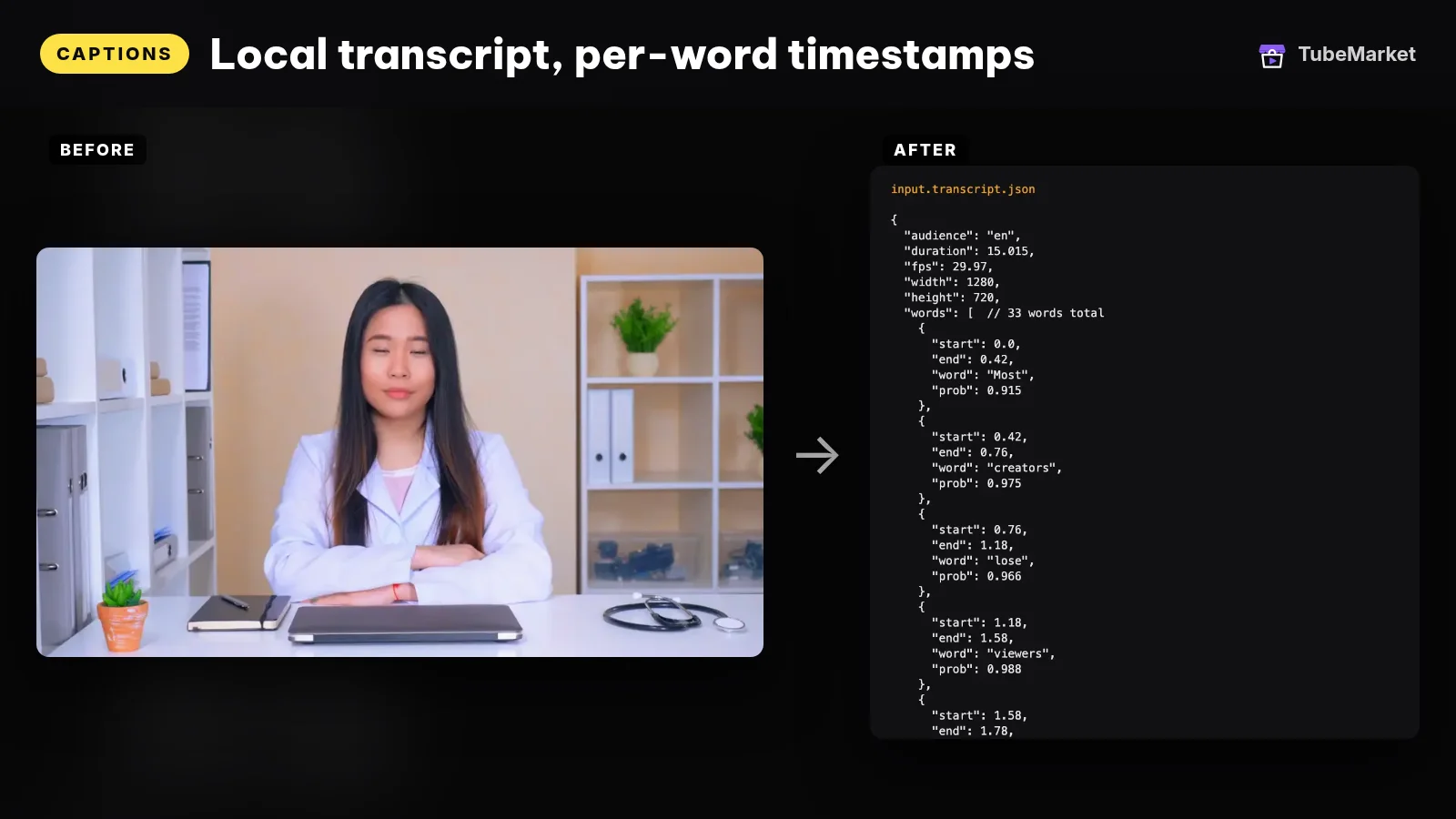

The listing title is "Transcribe word by word with local Whisper". The shelf files it as an automation skill for the Captions stage, free, MIT, owned by TubeMarket Studio. The listing says it writes word-level timestamped transcripts, that Whisper runs locally and detects the language, and that it needs no API key. The requires line is Claude Code or Cursor, Python 3.10+, and ffmpeg.
The skill file says this is the file the later skills read. It does not burn pixels. It runs with faster-whisper. After the model downloads once, the run is local. There is no API key. --audience is vi, en, or auto. --model overrides the preset with base, small, medium or large-v3. The file's own notes say to use large-v3 for Vietnamese, because smaller models get word timestamps wrong on short syllables and captions drift. That is the skill's guidance, not a score we measured.
The output the file documents is a JSON object: audience, duration, frame size, a words list with start, end, word and probability, and a segments list. The same file names a fallback, lib/align.py, for when an ASR path returns text only. It says that fallback is good enough for captions and punch zoom, and not good enough for an aggressive silence cut. Prefer the Whisper word-level output when you have it. The requirements line also pins PyAV below version 16, because the file says PyAV 16 and newer breaks the audio decoder in faster-whisper 1.2.
- Pros: one word file the burn, the silence cut and the punch-zoom can share. The audio stays on your machine. The listing says there is no API key.
- Cons: a transcript is not a caption yet. You still choose the burn or a subtitle file, and you still read names. The file does not write an SRT.
Use this for the word-level transcript of the audio you will actually publish.
2. word-captions: the burn
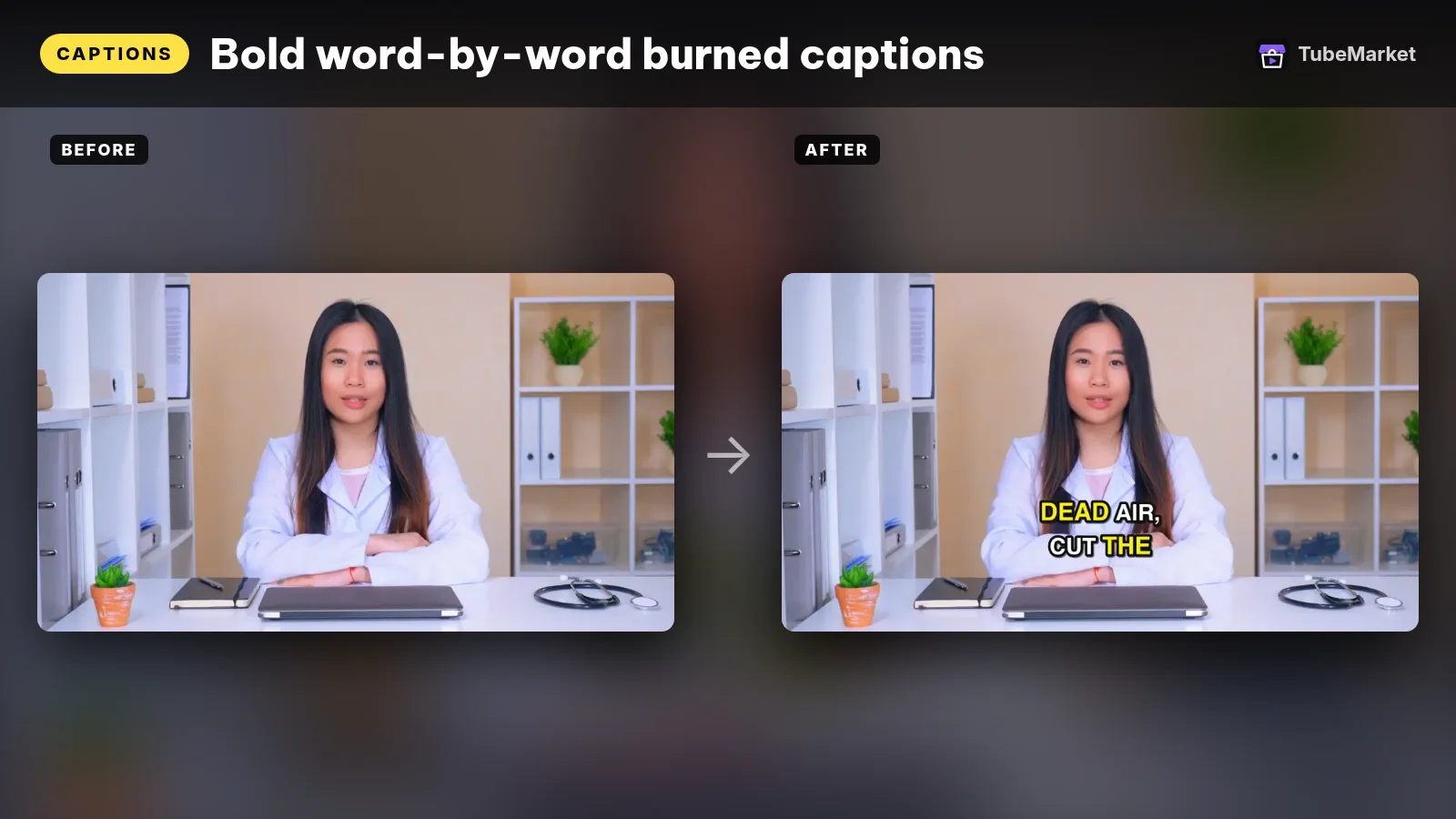
The listing title is "Burn word-by-word animated captions into video". The shelf files it as an automation skill for Captions, free, MIT, owned by TubeMarket Studio. The listing says it burns word-by-word animated captions, with full Unicode support, and that it needs no API key. The requires line is the same as the transcriber: Claude Code or Cursor, Python 3.10+, and ffmpeg.
The skill file reads that transcript JSON. It writes an .ass file with one event per word: the line stays put, and the spoken word changes colour and scales up 8 percent. Then it burns that file into the video with ffmpeg and libass. The phrases the file says should trigger it include "add captions", "burn subtitles", "Hormozi-style captions", "word-by-word subs", and "Vietnamese captions lose their accents". Those are trigger phrases in the file, not a style test we ran.
The line-break rules are in the skill. A line breaks at a pause longer than 0.8 seconds, even if the line is not full. The Vietnamese preset does not set the whole line in capitals, uses four words per line, a maximum of 22 characters, and looks for Be Vietnam Pro. The English preset uses capitals, two words per line, a maximum of 16 characters, and Montserrat. The file's reason for the Vietnamese rule is that accented capitals stack marks and many fonts clip them. --style bold is a thick outline and a shadow. --style clean is a thin outline and no shadow. --ass-only writes the .ass file and does not render, so you can fine-tune it in Premiere or CapCut. That file is not a SubRip subtitle.
- Pros: the on-screen look a Short needs when the sound is off, with a preset that keeps Vietnamese marks. The listing says there is no API key.
- Cons: a burn is paint. A viewer cannot toggle it off. The skill does not export the plain UTF-8 SRT YouTube hosts as a track. Burn after the crop, or a later crop can slice the text.
Use this for burned-in word-by-word captions after the transcript exists and the frame is final.
3. remotion-dev-skills: captions inside a coded video
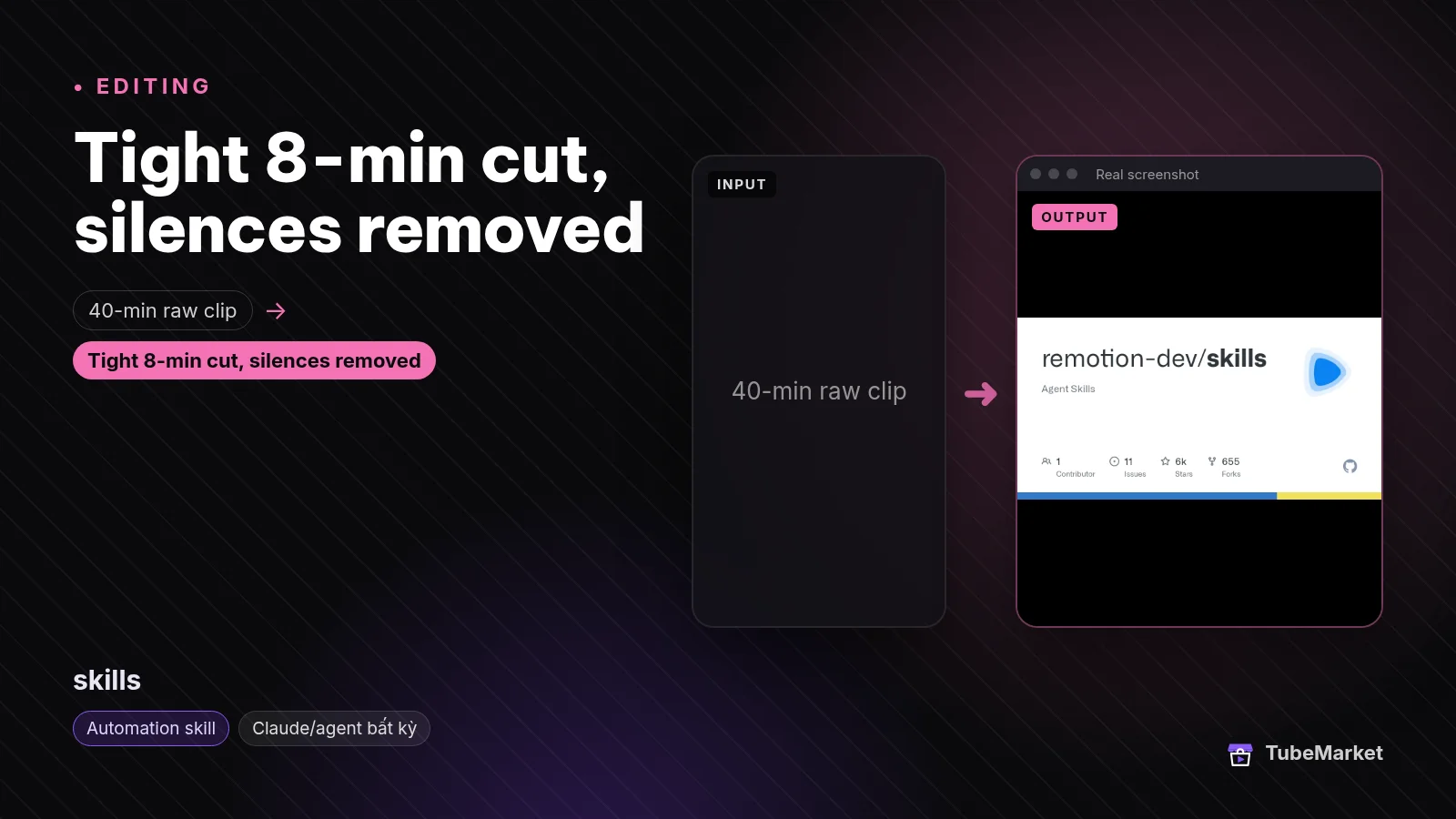

The listing title is "Teach Claude Code to build Remotion videos". The shelf files it under Editing and Captions. The listing says it is free and open source, that a license is not stated, and that it requires Claude Code or Cursor. What the listing says it does: official Agent Skills from Remotion that help an agent write Remotion video code.
On 13 November 2026 the README says Remotion maintains these skills as best practices for Remotion projects, for agents including Claude Code, Codex, Kimi Code and Cursor. The install line it gives is npx skills add remotion-dev/skills. It also lists gh skill install remotion-dev/skills. That page lists 13 skills. The caption job is /remotion-captions, which the README calls "Guidance for captions and subtitles." The others are markup, maps, studio, render, create, docs, a license lookup, upgrades, SaaS architecture, interactivity, multimedia metadata, and a best-practices skill that contains the rest. The same docs live at remotion.dev/docs/ai/skills.
The caption skill file, checked the same day, describes three jobs. Transcribe audio with transcribe() from @remotion/whisper-webgpu, which the file says runs Whisper locally on the GPU and works in Node.js and the browser. The file says a compatible GPU is required, and that ONNX Runtime does not work on Linux arm64. The transcribe guide writes a captions JSON file through toCaptions. Display uses the Basic Captions element, and says the captions are whitespace sensitive: put a space in the text field before each word. Import reads an existing .srt with parseSrt() from @remotion/captions. That is an import into the Remotion project. It is not an upload to YouTube. The skill's own description line is "Transcribing, displaying and animating captions." The display guide does not describe the 8 percent word scale in word-captions. Do not treat the two burns as the same preset.
The GitHub license API for this repository returned no license file on 13 November 2026. The separate listing Remotion skills pack says the license is the Remotion License and that the price is free. It describes the same family as 13 preinstalled skills. This page does not rank that pack as a second method. Use /remotion-license, which the README says looks up Remotion's license, before you publish. This page does not restate those terms.
- Pros: the caption step when the picture is type, charts or a composition you already build in code. The same skill can import an SRT you already have, or transcribe the audio in the project.
- Cons: it does not burn the TubeMarket Vietnamese preset onto a talking-head file. It needs a Remotion project, and the transcribe path needs a compatible GPU. The skills repository does not report a license file.
Use this for captions inside a coded video: transcribe to Remotion's caption JSON, draw them in the composition, or import an .srt.
4. claude-skill-video-transcribe: plain text from a link
Turn YouTube and Bilibili videos into text
 claude-skill-video-transcribe · by Jane-xiaoer
Claude skill that turns a YouTube or Bilibili video link into a full text transcript you can mine for scripts, notes or research. Needs Claude Code and a Gemini API key.
For: Captions, Analytics · All formats
★ 233 GitHub stars
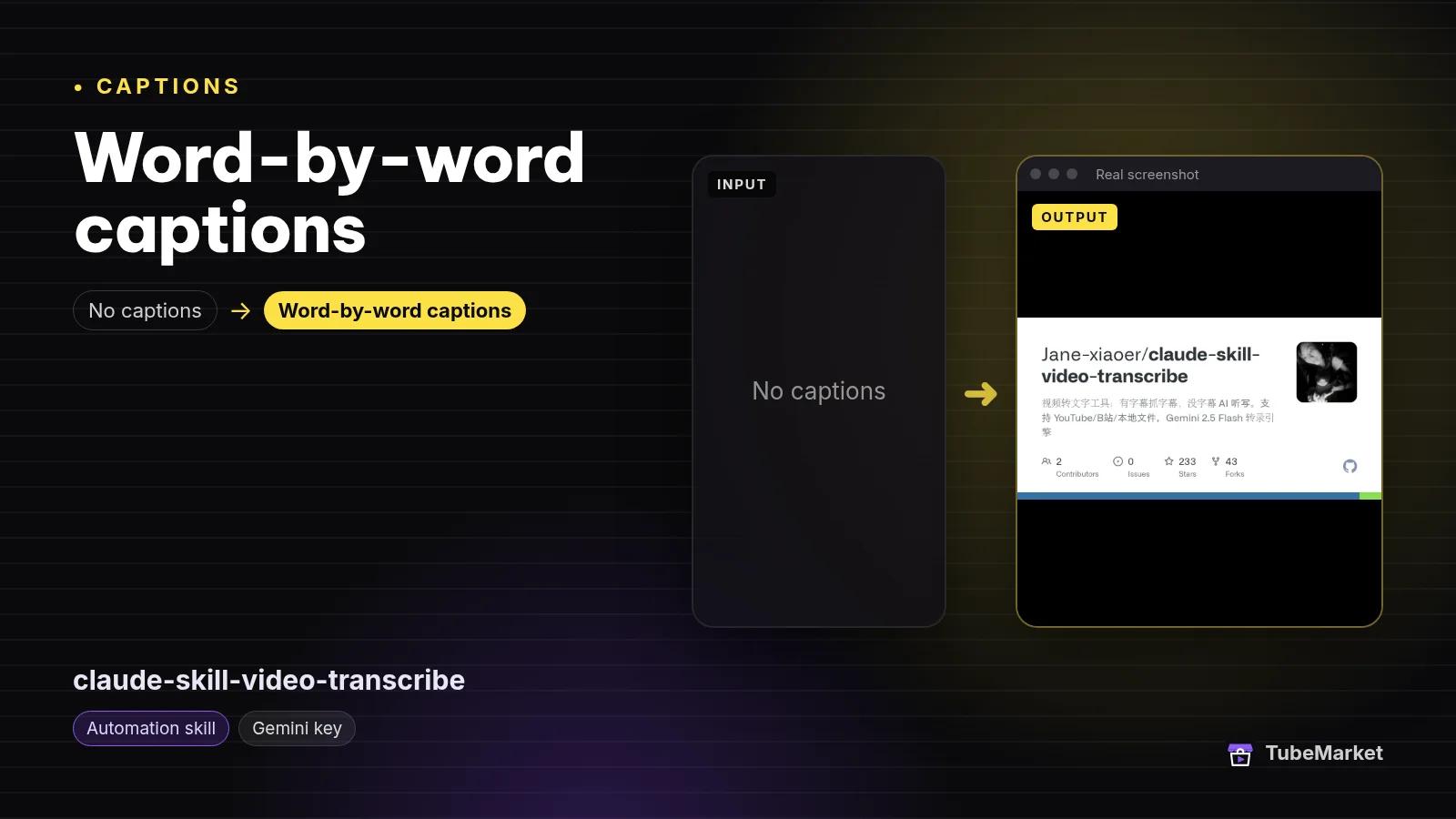
The listing title is "Turn YouTube and Bilibili videos into text". The shelf files it as an automation skill for Captions and Analytics. The listing says it is a Claude skill for video transcription, that it works with YouTube and Bilibili, and that it outputs plain text. The description says it turns a YouTube or Bilibili link into a full text transcript you can mine for scripts, notes or research, and that it needs Claude Code and a Gemini API key. The license on the listing is not stated.
On 13 November 2026 the skill file and the README describe a wider input than the listing. Local files include MP4, MOV, MP3 and M4A. URLs include YouTube, Bilibili, Xiaoyuzhou, and other platforms yt-dlp supports. On a URL, the workflow tries existing subtitles first, which the README calls fast and zero API use. If there are no subtitles, it downloads the audio and transcribes. The default engine is Gemini 2.5 Flash, which the README says adds punctuation and needs a network plus an API key. The other engine is mlx-whisper, which the README says is offline and limited to Apple Silicon, and which its comparison table says does not add punctuation. The default output path in the skill file is a .txt file under Downloads. A second workflow extracts notes from that text. The README states the license as MIT. The repository file list that day has no separate LICENSE file, and GitHub's license API returned none. The TubeMarket listing still says the license is not stated.
- Pros: the words of a link, without installing Whisper on the machine that holds the long file. If the video already has subtitles, the skill file says it grabs those before it spends an API call.
- Cons: the output the skill file names is plain text, not word timings, not an SRT, and not a burn. word-captions cannot read that
.txt. The Gemini path needs an API key. Use it only on a video you have the right to transcribe.
Use this for a plain-text transcript of a link, for notes or for a script pass. It is the caption-adjacent skill on the shelf. It is not the subtitle file you upload.
A practical caption workflow
Chain them in this order. Skip a step when you do not need that job.
- Decide which output you need. A Short that has to work muted needs a burn. A long video also needs a track a viewer can toggle. None of these four skills writes both from one command.
- Write the script first, if you do not have the words yet. That job is ranked in Best 3 skills for YouTube scriptwriting. These caption skills do not write the script.
- Transcribe the audio you will publish with local-whisper-transcriber when the next step is the TubeMarket burn. Follow the file's note and use
large-v3for Vietnamese word times. Fix names and numbers in the JSON before you style anything. - Cut and reframe before the burn when the video is a talking clip. Silence cuts, the vertical crop and punch-ins are ranked in Best 5 skills for YouTube video editing. Turn a talking video into a vertical short puts captions last for the same reason: a later crop can slice the text.
- Burn with word-captions. Use the audience preset the file names.
--ass-onlyis a fine-tune in an editor. It is not the file you upload as a YouTube subtitle track. YouTube's add-subtitles page is that track, and the supported-file page is the list of formats. Read both before you assume a styled file will keep its look. - Build captions in code with remotion-dev-skills when there is no camera file to burn, or when the SRT already exists and the picture is a Remotion composition. Transcribe, display, or import. Check
/remotion-licensebefore you publish. - Read a link as text with claude-skill-video-transcribe when you want the words for notes, and you have the right to process that video. Do not hand the
.txtto word-captions and expect timings. - Export an SRT, translate, or time a generated voice with a tool, not with one of these skills. That ranking is Best AI caption tools for YouTube. Buzz and Whisper-WebUI are the SRT and VTT listings. VideoLingo and pyVideoTrans are the translation listings. Kokoro-TTS-Subtitle writes an SRT from a script it reads aloud. auto-subtitle is a different burn. This page does not repeat that ranking.
- Or run the local transcript and the burn inside video-shorts-pipeline when you also want the silence cut, the vertical frame and the zooms. The skill file puts captions last. It does not pick a highlight, and it does not write a separate SRT. The chain is ranked in the Shorts skills guide.
- Read the words before you upload. A highlight on a wrong name is still a wrong name. The voice, if the video is faceless, is covered in Best AI voiceover tools for faceless YouTube. Shot prompts are B-roll Prompt Director, ranked in Best AI B-roll tools for faceless YouTube.
Browse every caption listing, including the tools this page does not rank, on the Captions stage. For a faceless channel, start from faceless storytelling. For a filmed Short, start from Shorts. A talking-head channel can start from talking head. A podcast source can start from podcast.
How to choose
- Start with the word file when you have the audio on disk and the next step is a TubeMarket burn. That is
local-whisper-transcriber. - Burn after the frame is final. That is
word-captions. A 16:9 video and a 9:16 Short use the same skill. The preset changes with the language, which the file names, not with the aspect. - Use Remotion when the video is designed, not filmed, or when you already have an SRT and the picture is a composition. That is
/remotion-captionsinsideremotion-dev-skills. - Use the link transcriber when you need the words as text, and you have the right to process that URL. That is
jane-xiaoer-claude-skill-video-transcribe. It does not replace the word file. - The two TubeMarket skills run locally. Their listings say they need no API key. They do need ffmpeg, Python 3.10+, and Claude Code or Cursor, which is the requires line. The Remotion transcribe path needs a GPU. The link skill's default engine needs a Gemini API key.
- Keep the read-through. The skill can time a word. You still fix the name, the number and the line break.
On the shelf, but not these caption skills
Real listings. A different job, so they are not in the ranking above.
- The same burn, inside a Short pipeline. video-shorts-pipeline is an automation skill. The listing title is "Turn a raw talking video into a finished 9:16 Short". The description says the chain is a transcript, silence cuts, face tracking, zooms and captions, and that it needs no API key. The license on the listing is MIT. The skill file puts captions last. It calls the transcriber and word-captions. It is not a second caption format. The Shorts guide and the editing guide already rank it as the chain.
- The same Remotion skills, already on disk. Remotion skills pack is a separate listing. The title is "Get 13 preinstalled Remotion skills for Claude". The price on that listing is free. The license label is Remotion License. The requires line adds Node.js 18+ and Remotion. It is the same family as
remotion-dev-skills, not an extra technique. - A skill that builds the whole video. claude-code-video-toolkit is filed under Script, Voiceover and Editing. The TubeMarket title is "Produce Remotion videos with Claude Code". The license on the listing is MIT. Use it when the deliverable is that produced video. The listing does not file it under Captions.
- Tools. Whisper, faster-whisper, WhisperX, whisper.cpp, Buzz, Whisper-WebUI, auto-subtitle, VideoLingo, pyVideoTrans, Kokoro-TTS-Subtitle and video-subtitle-remover are tools on the same shelf. They are ranked, with their limits, in Best AI caption tools for YouTube. Cutting a video by deleting subtitle lines is also a tool, autocut, covered in the editing tools guide. This page does not repeat those rankings.
Comparison
- local-whisper-transcriber: Captions; free; MIT; local faster-whisper; word-level JSON; no API key; does not write an SRT
- word-captions: Captions; free; MIT; local ffmpeg and libass; burns one highlighted word at a time; writes
.ass; Vietnamese and English line rules are in the skill file - remotion-dev-skills: Editing and Captions; listing says free and open source, and that a license is not stated;
/remotion-captionstranscribes with Whisper on a GPU, displays captions, or imports an.srt; the README lists 13 skills - claude-skill-video-transcribe: Captions and Analytics; plain text from a link or a local file; URL path tries existing subtitles first; default engine is Gemini 2.5 Flash and needs an API key; listing says the license is not stated; the README states MIT and the repo has no LICENSE file
- video-shorts-pipeline: not a separate rank; calls the transcriber and the burn as the last step of a Short; MIT; no API key
- remotion-skills-pack: not a separate rank; the same Remotion skills, preinstalled; the listing says Remotion License and free
Prices and plans change. Verify them on each project's page.
FAQ
What are the best skills for YouTube captions and subtitles? On TubeMarket, the automation skills whose job is a caption step, or the text that step starts from, are local-whisper-transcriber, word-captions, remotion-dev-skills and claude-skill-video-transcribe. "Best" here means which step they fit. We did not score them against each other.
What is a caption skill on this shelf, as opposed to a caption tool? A skill file an agent can run, filed as an automation skill. The two TubeMarket skills run locally and their listings say they need no API key. The Remotion listing is a set of agent skills, and one of them is captions. Whisper, Buzz and VideoLingo are tools. They are in the tools guide linked above.
Do these skills export an SRT? No. local-whisper-transcriber writes word-level JSON. word-captions writes an .ass file and burns it. /remotion-captions can import an .srt into a Remotion project, and its transcribe guide writes captions JSON. claude-skill-video-transcribe writes a .txt. An SRT or VTT you can upload is a tool, linked above.
Do faceless channels and Shorts need a different caption skill? No. A Short still wants the burn if it has to work with the sound off, and that is word-captions. A faceless video still has to be timed to the voice that was generated, not to the script you typed. Transcribe the finished voiceover. A video that is type and charts, with no camera file, uses /remotion-captions. A generated voice that should ship with an SRT in the same pass is Kokoro-TTS-Subtitle, which is a tool, not a fifth skill.
Can one of these skills translate the subtitles? No. None of the four skill files says its job is a translation into another language. VideoLingo and pyVideoTrans are the shelf items built for that, and they are tools. Proofread a translation before you publish it. A translated copy of a video you do not own is a rights problem, not a caption setting.
Will a caption skill get the video views? A caption is one step. The script, the title, the thumbnail and whether anyone clicks are separate. This page does not quote views, watch time or revenue.
Catalog gaps
TubeMarket does not yet list:
- a skill that writes a plain UTF-8 SRT from the same word timings word-captions burns (that skill writes
.ass), - a skill whose only job is translating a subtitle (that job, on this shelf, belongs to the tools VideoLingo and pyVideoTrans),
- a skill that uploads the subtitle file to YouTube Studio,
- a skill that turns the plain-text file from claude-skill-video-transcribe into the word-level JSON the burn reads.
The two TubeMarket skills are documented in the public skill files linked below. The Remotion skills repository does not report a license file. The link transcriber's listing does not state a license, and the repo has no LICENSE file even though the README says MIT. Those gaps are real.
Sources
- TubeMarket, local-whisper-transcriber: https://tubemarket.io/item/local-whisper-transcriber/
- TubeMarket, word-captions: https://tubemarket.io/item/word-captions/
- TubeMarket, remotion-dev-skills: https://tubemarket.io/item/remotion-dev-skills/
- TubeMarket, claude-skill-video-transcribe: https://tubemarket.io/item/jane-xiaoer-claude-skill-video-transcribe/
- TubeMarket, video-shorts-pipeline: https://tubemarket.io/item/video-shorts-pipeline/
- TubeMarket, Remotion skills pack: https://tubemarket.io/item/remotion-skills-pack/
- local-whisper-transcriber skill file, checked 13 November 2026: https://github.com/wanghie/tubemarket-skills/blob/main/skills/local-whisper-transcriber/SKILL.md
- word-captions skill file, checked 13 November 2026: https://github.com/wanghie/tubemarket-skills/blob/main/skills/word-captions/SKILL.md
- tubemarket-skills repository (MIT on the GitHub license field, checked 13 November 2026): https://github.com/wanghie/tubemarket-skills
- Remotion Agent Skills README, checked 13 November 2026: https://github.com/remotion-dev/skills/blob/main/README.md
- Remotion captions skill, checked 13 November 2026: https://github.com/remotion-dev/skills/blob/main/skills/remotion-captions/SKILL.md
- Remotion transcribe, display and SRT-import guides, same day: https://github.com/remotion-dev/skills/tree/main/skills/remotion-captions
- Remotion Agent Skills docs: https://www.remotion.dev/docs/ai/skills
- claude-skill-video-transcribe skill file and README, checked 13 November 2026: https://github.com/Jane-xiaoer/claude-skill-video-transcribe
- YouTube Help, add subtitles and captions: https://support.google.com/youtube/answer/2734796?hl=en
- YouTube Help, supported subtitle files: https://support.google.com/youtube/answer/2734698?hl=en
- TubeMarket listings used above: local-whisper-transcriber, word-captions, remotion-dev-skills, jane-xiaoer-claude-skill-video-transcribe, video-shorts-pipeline, kh-remotion-skills, digitalsamba-claude-code-video-toolkit, tb-058, tb-057, huanshere-videolingo, jianchang512-pyvideotrans, tb-019, tb-055, mli-autocut, broll-prompt-director
- Related posts: Best AI caption tools for YouTube, Best 6 skills for turning long videos into YouTube Shorts, Best 5 skills for YouTube video editing, Best 3 skills for YouTube scriptwriting, Best AI video editing tools for YouTube, Best AI voiceover tools for faceless YouTube, Best AI B-roll tools for faceless YouTube, Turn a talking video into a vertical short