Best 2 Skills for YouTube Voiceover (2026)
Best skills for YouTube voiceover on TubeMarket: generate narration from a scene script in a Claude Code toolkit, then size a Remotion composition to that audio. Fit only.
By TubeMarket · · voiceover, faceless youtube, text to speech, narration
A voiceover is the speech a viewer hears while the picture plays. On a faceless video that speech is the whole performance. On a screen tutorial it is the narration over the clicks. Generating that audio from a script, and making the picture last exactly as long as the audio, are steps of that job. This guide ranks the automation skills on the TubeMarket shelf whose job is one of those steps. It is a fit ranking: which step the skill is built for, where it runs, and what the listing and the skill file actually say. It is not a listening test, and it does not invent views, ratings or revenue.
The Voiceover stage also lists tools: local speech models, cloning models, and hosted spaces. Those are ranked in Best AI voiceover tools for faceless YouTube. This page ranks two automation skills. One is a Claude Code workspace whose own files name a voiceover command, three speech providers, a clone workflow, and a redub. One tells an agent how to generate speech for a Remotion composition and how to size that composition to the audio. A directory is not included. A model that only speaks, with no skill file, is linked later, not ranked.
We judged each skill on four things:
- Step: speech from a script, or the length of a composition set from that speech
- Where it runs: inside Claude Code, against a hosted speech API, or on a cloud GPU
- Access: the listing price, and whether the speech step needs an API key or a cloud account
- What we can check: the TubeMarket listing, and the skill file or README on 16 November 2026
Quick picks
- Narration from the scene script, including a provider that is not ElevenLabs: claude-code-video-toolkit
- Size a Remotion composition to audio you already generated: remotion-dev-skills, the voiceover guide inside
/remotion-markup
A faceless channel and a screen tutorial use the same two. The format changes the script and the frame. It does not add a third voiceover skill to the shelf.
TubeMarket catalog, ranked
The order below is the order of the work: make the audio, then make the picture last as long as the audio. It is not a quality score.
Only one of the two is filed on the Voiceover stage. The other does the timing step and is filed under Editing and Captions, which is why a browse of Voiceover alone misses it.
1. claude-code-video-toolkit: the narration
Produce Remotion videos with Claude Code
 claude-code-video-toolkit · by digitalsamba
Make videos with Claude Code: script, AI voiceover, music, video clips and render, on open-source models that cost cents
For: Script, Voiceover · Screen tutorial, Faceless storytelling
★ 2.4k GitHub stars
The listing title is "Produce Remotion videos with Claude Code". The shelf files it as an automation skill for Script, Voiceover and Editing. The formats on the listing are screen tutorial and faceless. Free (open source, self-host), MIT. The requires line is Claude Code or Cursor. The shelf records the AI requirement as Claude plus a TTS key.
The script, captions, Shorts, B-roll and SEO guides leave the voice step unranked, because on those pages the job is the words, the burn, the cut, the picture or the title. This page ranks the voice path. On 16 November 2026 the README says you tell Claude Code what video you want and it writes the script, generates the voiceover, music and visuals, and renders an MP4. It says the requirements are Node.js 22+ (24 LTS recommended) and Claude Code, with uv recommended and FFmpeg optional. It says the code license is MIT. GitHub's license API returned MIT the same day.
The README's command table lists /generate-voiceover as "Generate AI voiceover from a script", /voice-clone as "Record, test, and save a cloned voice to a brand", and /redub as "Redub existing video with a different voice". The skills table lists elevenlabs as "AI audio — text-to-speech, voice cloning, music, sound effects". The same README's cloud GPU table lists qwen3_tts as "AI text-to-speech (9 speakers, voice cloning)" and prices that row at about $0.01. The opening paragraph prices voiceover on the open-source models at about $0.01, and AI video clips at about $0.23. Those are the README's figures, not a bill we ran. A clip price is a picture cost. This page does not rank the picture. Shot generation is Best 3 skills for faceless YouTube B-roll.
voiceover.py, the same day, is the command the files tell you to run. Its --provider choices are elevenlabs (the default), qwen3, and 60db. --dry-run is "Show what would be done without making API calls". The ElevenLabs defaults in that file are model eleven_multilingual_v2, stability 0.85, similarity 0.95, style 0.0, and speed 1.0.
The ElevenLabs skill file says the path needs ELEVENLABS_API_KEY. The models it names:
- eleven_multilingual_v2. The file calls it the toolkit default. It says the model has no SSML, supports style and speed, and covers 29 languages.
- eleven_v4. The file says it was released on 28 September 2026, covers 90+ languages, and is called through the Text to Dialogue API with one narrator. It says v4 takes stability and similarity only.
voiceover.pywarns that--styleand--speedare ignored on that model. The file says to pace with--max-wpminstead of--speed. - eleven_flash_v2_5. The file calls it the fastest, and the one that supports SSML break and phoneme tags. It says a break longer than 3 seconds is the limit, and that an ellipsis is not a reliable pause.
- eleven_v3. The file calls it the previous generation and says to prefer v4.
- eleven_turbo_v2_5. The file and
voiceover.pyboth say this id is deprecated. The tool prints a note and sendseleven_flash_v2_5.
The same skill file says the defaults in voiceover.py (stability 0.85, style 0.0) sit at the steady, flat end of its own style table, and that a library voice usually sounds slower and duller at those defaults than in its preview. That is the file's guidance, not a listen we did. It names three example voices: George JBFqnCBsd6RMkjVDRZzb, Rachel 21m00Tcm4TlvDq8ikWAM, and Adam pNInz6obpgDQGcFmaJgB. It says a search of the shared voice library is free to hear, and that using a library voice through the API needs a paid plan. A free key, it says, gets HTTP 402 paid_plan_required. It says the Starter tier is enough, and it does not print a dollar price for that tier. It says not to clone a library preview into Qwen3 or another model, because the owner licensed that voice through ElevenLabs. It also says Qwen3 VoiceDesign is not a substitute for an accent: Irish, Scottish and Manchester briefs, in that file, came out American. An accent, it says, has to come from a real recording. Instant cloning is in the same file. Professional cloning, it says, needs a Creator plan or above and 30 minutes or more of audio, and it points at reference.md for that plan. This page did not open a billing page.
qwen3_tts.py is the second provider. The docstring says it generates speech via a cloud GPU, with built-in speakers and cloning from a reference clip. The speakers in BUILTIN_SPEAKERS are Ryan and Aiden for English, Vivian, Serena, Uncle_Fu, Dylan and Eric for Chinese, Ono_Anna for Japanese, and Sohee for Korean. That is nine, which matches the README's "9 speakers". The /generate-voiceover command names a shorter set and leaves out Uncle_Fu, Dylan and Eric. The tool file is the list that --list-voices is written against. SUPPORTED_LANGUAGES names Auto, English, Chinese, French, German, Italian, Japanese, Korean, Portuguese, Russian and Spanish. The tone presets are neutral, warm, professional, excited, calm, serious, storyteller and tutorial. A line that starts with [tone: excited] in a scene script is the per-scene override the command file describes, and it says those lines are ignored on a cloned voice.
The files do not agree on where Qwen3 runs. The argparse default for --cloud is modal, and the help text says "Cloud GPU provider (default: modal)". The docstring at the top of the same file still says "RunPod (default), Modal". The error text in voiceover.py calls Qwen3 "free, self-hosted" and then says it requires a RunPod account. The /generate-voiceover command says "self-hosted via RunPod". The /voice-clone command checks .env for RUNPOD_API_KEY and RUNPOD_QWEN3_TTS_ENDPOINT_ID before it will record a reference. The README recommends Modal, says the Starter plan includes $30 a month of free compute, and says typical usage is $1 to $2 a month. Those are the README's figures. Read the flag you will actually pass. A default of modal in the tool, and a clone command that stops without a RunPod key, are both in the repo on the same day.
sixtydb_tts.py is the third provider. The file calls 60db a premium cloud TTS provider and says it needs SIXTYDB_API_KEY. It says the REST limit is 5,000 characters per request. The README's skills table and cloud GPU table do not name it. It is a --provider 60db choice in voiceover.py, not a fourth listing.
The generate-voiceover command is the order of the work. It says to stop if the project is still in review, because narration that does not match the pictures wastes the call. It prefers one .txt per scene under public/audio/scenes/, each of which becomes an .mp3, plus a manifest.json of durations. A single VOICEOVER-SCRIPT.md is the fallback. The command says a per-scene file can be regenerated on its own.
The voice-clone command saves a Qwen3 reference onto a brand. It says to read the reference at the pace you want the clone to use, because temperature will not fix the pace afterwards. The duration rules in that file: under 8 seconds, warn; 8 to 12 seconds, usable; 12 to 25 seconds, the range it calls ideal. It says a short, snappy reference produces rushed narration, and it puts that rush at 170 to 210 words per minute. That is the file's warning, not a measurement we ran. Only clone a voice you have the right to use. The ElevenLabs skill file's rule about library previews is the same kind of limit.
The redub command replaces the voice on a video you already have. The command file says it uses ElevenLabs transcription plus TTS, and that it does not need a project. redub.py accepts --tts-provider of elevenlabs (the default) or 60db. The help text says transcription always uses ElevenLabs Scribe, including when the new voice is 60db. Qwen3 is not one of those two choices.
- Pros: this is the shelf skill whose files name the narration command, the three providers, the clone, and the redub.
--dry-runprints the plan and does not call the API. The code license is MIT. - Cons: the listing's job is the whole video, so the script, the pictures and the music come with it. None of the three providers is a model that runs with no account. ElevenLabs and 60db need an API key. Qwen3, in the tool file, runs on Modal or RunPod, even where another file calls it self-hosted. The clone command, as written, looks for RunPod keys. You still listen to the take.
Use this to generate the narration of a video the toolkit is building, or to replace the voice on a file you already have. You still pick the provider, and you still reject a read that does not match the sentence.
2. remotion-dev-skills: the length of the picture
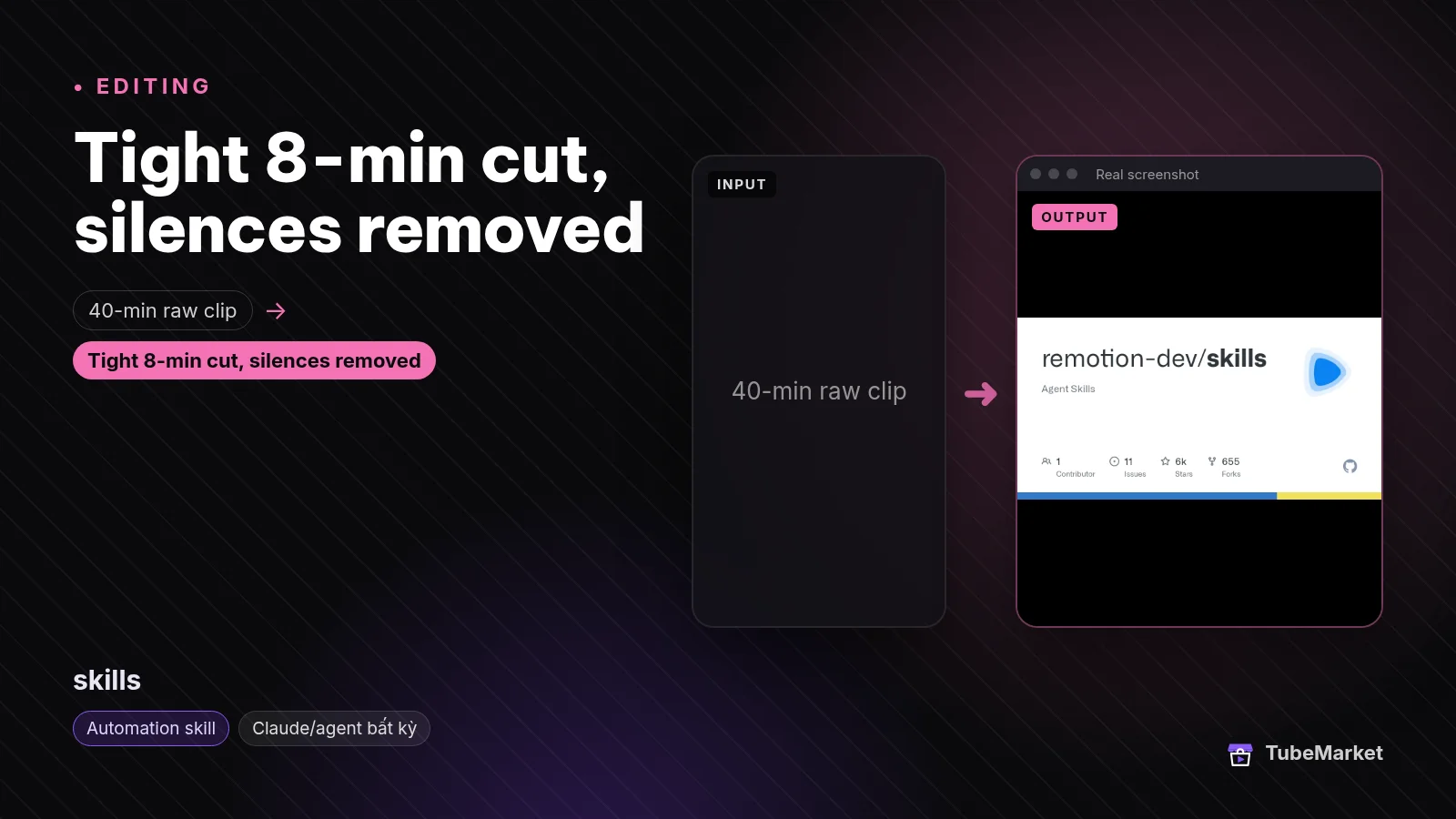

The listing title is "Teach Claude Code to build Remotion videos". The shelf files it under Editing and Captions, not under Voiceover. The listing says it is free and open source, that a license is not stated, and that it requires Claude Code or Cursor. What the listing says it does: official Agent Skills from Remotion that help an agent write Remotion video code.
On 16 November 2026 the README says Remotion maintains these skills as best practices for Remotion projects, for agents including Claude Code and Cursor. The install line it gives is npx skills add remotion-dev/skills. It also lists gh skill install remotion-dev/skills. That page lists 13 skills. /remotion-markup is the one that covers audio. The README's own words for it are compositions, animations, layout, typography, media elements, effects, audio, fonts and timing. /remotion-captions is a caption skill, ranked in the captions guide, not here. /remotion-best-practices is the skill the README says encompasses the others. This page does not rank that as a second copy of the same guide.
The voiceover rule inside markup, skills/remotion-markup/voiceover.md, says to use text-to-speech to generate speech per scene, then use calculateMetadata to size the composition to that audio. It says the default provider in the guide is ElevenLabs, via ELEVENLABS_API_KEY. It says a user may substitute any service that can produce an audio file. It says that if the user has not named a provider, the agent should recommend ElevenLabs and ask for the key. The example request in the file uses model eleven_multilingual_v2 and voice settings of stability 0.5, similarity 0.75 and style 0.3. Those are the example's numbers. They are not the defaults in the toolkit's voiceover.py, which are 0.85, 0.95 and 0.0. The file writes one MP3 per scene under public/voiceover/. It then measures each file, multiplies seconds by the composition's fps, and sets durationInFrames to the sum. The example fps in the file is 30. It says a composition that uses TransitionSeries has to subtract the overlap. It points at audio.md for playing the file in the component, and at get-audio-duration in the multimedia skill for the measurement. It does not name Qwen3, 60db, Kokoro or Piper. It does not clone a voice.
The GitHub license API for this repository returned 404 on 16 November 2026, which is the response when the repo has no license file GitHub can detect. The separate listing Remotion skills pack says the license is the Remotion License and that the price is free. It describes the same family as 13 preinstalled skills. This page does not rank that pack as a third method. The toolkit above vendors a copy of these skills. Use /remotion-license, which the README says looks up Remotion's license, before you publish. This page does not restate those terms.
- Pros: the timing step, when the picture is a Remotion composition and the length has to follow the speech. The guide says the audio file can come from a service other than the one in the example.
- Cons: the example path asks for an ElevenLabs key. It does not generate a Qwen3 or 60db read, and it does not run a local model. The license is not stated on this listing. A project that already used the toolkit's
/generate-voiceoveralready has scene MP3s and a manifest. This guide does not replace that command.
Use this to place the speech in a Remotion composition and to set each scene's length from the audio file.
A practical voiceover workflow
Chain them in this order. Skip a step when you do not need that job.
- Write the words first, if you do not have the script yet. That ranking is Best 3 skills for YouTube scriptwriting. Neither voice skill picks the topic. The toolkit README says its
/videopath can write the script as part of the whole video. Use that path when the deliverable is the video. Use the script guide when the deliverable is a script. - Lock the picture enough to know the sentences. The generate-voiceover command says to finish scene review before you spend a speech call, because a script change wastes the take. Shot prompts are ranked in Best 3 skills for faceless YouTube B-roll.
- Generate the narration with claude-code-video-toolkit when the video is a toolkit project, or when you want Qwen3 or 60db rather than the ElevenLabs example. Put one scene in each
.txt. Run--dry-runbefore the paid call. On ElevenLabs, the skill file says to lower stability if the library voice sounds flatter than its preview, and to listen. On Qwen3, pass--cloudon purpose: the tool's default ismodal, and the clone command still asks for RunPod keys. On 60db, the tool file says you needSIXTYDB_API_KEY, and that a REST request stops at 5,000 characters. - Clone only a voice you have the right to record. The voice-clone command wants a reference of 12 to 25 seconds, read at the pace you want back. The ElevenLabs skill says a library preview is not a clip you paste into Qwen3.
- Redub a file you already finished with
/redubwhen the picture is done and only the voice should change. The command file says this does not need a toolkit project.redub.pysays the transcript still comes from ElevenLabs Scribe, even when--tts-provider 60dbspeaks the new voice. - Size the composition with remotion-dev-skills when the video is Remotion and you are not using the toolkit's manifest. Follow the voiceover rule in
/remotion-markup: one audio file per scene, thencalculateMetadata. If you already generated the MP3s in the toolkit, point the composition at those files. Do not treat the example's 0.5 / 0.75 / 0.3 settings as the toolkit's defaults. - Caption the finished voice, not the script you typed. A generated read is what the viewer hears. Word timings for that audio are ranked in Best 4 skills for YouTube captions. The toolkit command mentions
tools/captions.pyafter the scene MP3s exist. This page does not rank that caption step. - Leave the title as its own job. Metadata and the upload are ranked in Best 2 skills for YouTube SEO. A long recording cut into a Short is Best 6 skills for turning long videos into YouTube Shorts. The voiceover listing's formats are screen tutorial and faceless. The README also names a
concept-explainer-shorttemplate for a 9:16 explainer. That template is still this skill. It is not a third one.
Browse every voice listing, including the tools this page does not rank, on the Voiceover stage. For a faceless channel, start from faceless storytelling. For a screen tutorial, start from screen tutorial. For a Short, start from Shorts. A talking-head channel that only needs a new voice on a finished file can start from talking head and the redub command above. The listing does not file this skill under talking head.
How to choose
- Start with the toolkit when you want the narration generated, and you may want a provider other than ElevenLabs. That is
digitalsamba-claude-code-video-toolkit. It is the only one of the two filed on the Voiceover stage. - Use the Remotion guide when the picture is a composition and the job left is to play the audio and match the length. That is the voiceover rule in
remotion-dev-skills. The example asks for an ElevenLabs key unless you name another service that can write an audio file. - Use a local model when the speech has to run with no account. That job, on this shelf, is a tool. The tools guide ranks Kokoro, Piper, Chatterbox and the others. There is no automation skill here whose only job is that local read.
- Read the cloud flag before you clone.
/voice-clonelooks for RunPod.qwen3_tts.py --clouddefaults to Modal. The README's $0.01 voiceover figure and its $30 Modal credit are the README's figures, not a quote from ElevenLabs or from 60db. - Keep the listen. The skill can request the audio. You still decide that the read matches the sentence, and that you had the right to use the voice.
On the shelf, but not these voiceover skills
Real listings. A different type, or a different job, so they are not in the ranking above.
- The same Remotion skills, already on disk. Remotion skills pack is a separate listing. The title is "Get 13 preinstalled Remotion skills for Claude". The price on that listing is free. The license label is Remotion License. The requires line adds Node.js 18+ and Remotion. It is the same family as
remotion-dev-skills, not an extra technique. The toolkit'sremotion-officialfolder is a third copy of that family, inside the generation workspace. - A local narrator with no skill file. Kokoro, the Kokoro-TTS space, Kokoro-TTS-Subtitle, Piper, edge-tts, Chatterbox, OpenVoice, GPT-SoVITS, Fish Speech, F5-TTS, ChatTTS, Bark and Coqui TTS are tools. They are ranked in Best AI voiceover tools for faceless YouTube. Kokoro-TTS-Subtitle is the tool that also writes an SRT. None of them is filed as an automation skill.
- A whole short that happens to speak. MoneyPrinterTurbo is a tool. The listing title is "Turn one topic into a finished HD short video". The voice is one step inside that pipeline. The shelf type is tool, so it is not a third skill here.
- A talking face, which needs a voice you already have. SadTalker is a tool. The toolkit's generate-voiceover command can concatenate scene audio for a SadTalker narrator. The face is not the speech. This page does not rank it.
- The words of someone else's video. claude-skill-video-transcribe is an automation skill. It turns a link into text. The SEO guide ranks it as the reading that comes before a title. A transcript is not a voice you generate.
- Product-market research. Market Research Swarm is an automation skill. The listing title is "Research any market with parallel agents". The description says every claim gets a confidence label, plus TAM, SAM and SOM. It does not speak a script.
Comparison
- digitalsamba-claude-code-video-toolkit: Script, Voiceover and Editing; free code, MIT; Claude Code or Cursor;
/generate-voiceoverreads scene scripts; providers are ElevenLabs (default), Qwen3 on Modal or RunPod, and 60db;--dry-runmakes no API call;/voice-cloneis Qwen3 and the command checks RunPod keys;/redubis ElevenLabs or 60db, and transcription stays on ElevenLabs Scribe; the README prices open-source voiceover at about $0.01 - remotion-dev-skills: Editing and Captions; listing says free and open source, and that a license is not stated; 13 agent skills; the voiceover rule inside
/remotion-markupgenerates per-scene audio and setsdurationInFramesfrom the files; the example is ElevenLabseleven_multilingual_v2with stability 0.5, similarity 0.75 and style 0.3; the guide says any audio file can be substituted - remotion-skills-pack: not a separate rank; the same Remotion skills, preinstalled; the listing says Remotion License and free
- hexgrad-kokoro, rhasspy-piper, resemble-ai-chatterbox, and the other speech models: not in this ranking; tools, ranked in the tools guide
- harry0703-moneyprinterturbo: not in this ranking; tool; the voice is one step of a finished short
Prices, API rates and cloud credits change. Verify them on each project's page. The dollar figures above are the ones the toolkit README stated on 16 November 2026. The character cap, the speaker list, the duration bands and the voice-setting defaults are the ones those files stated the same day.
FAQ
What are the best skills for YouTube voiceover? On TubeMarket, the automation skills whose job is a step of that speech are claude-code-video-toolkit and remotion-dev-skills. "Best" here means which step they fit. We did not score them against each other, and we did not listen to them.
What is a voiceover skill on this shelf, as opposed to a voiceover tool? A skill file an agent can run, filed as an automation skill. The toolkit's command generates the audio. The Remotion guide tells the agent how to generate it and how to size the composition. Kokoro, Piper and Chatterbox are tools. They are in the tools guide linked above.
Does the toolkit speak with no API key? The code is free to clone, and the license is MIT. The speech is not. ElevenLabs needs ELEVENLABS_API_KEY. 60db needs SIXTYDB_API_KEY. Qwen3, in qwen3_tts.py, runs on a cloud GPU. The error text that calls Qwen3 self-hosted still says it requires a RunPod account. --dry-run is the path that does not call an API.
Do faceless channels and Shorts need a different voice skill? No. The listing formats are screen tutorial and faceless. The README names a 9:16 explainer template in the same repo. A Short still uses this narration step. Picking the highlight out of a long recording is a different job, ranked in the Shorts guide linked above.
Can one of these skills clone any voice? The toolkit can request a clone. /voice-clone is a Qwen3 reference you record, with the duration rules in that command. The ElevenLabs skill file describes an instant clone and says a professional clone needs a Creator plan or above and 30 minutes or more of audio. The Remotion guide does not clone. Neither file is permission to clone a voice you do not have the right to use. The ElevenLabs skill says a library preview stays on ElevenLabs.
Will a voiceover skill get the video views? A voice is one step. The script, the picture, the title and whether anyone clicks are separate. This page does not quote views, watch time or revenue.
Catalog gaps
TubeMarket does not yet list:
- an automation skill whose only job is reading a script aloud, without producing the rest of the video (the toolkit drafts the voice while it builds the project; the Remotion guide sizes a composition),
- a skill that runs Kokoro, Piper, edge-tts or Chatterbox (those reads, on this shelf, are tools),
- a skill that speaks with no API key and no cloud GPU (the toolkit's
--dry-runspends nothing because it does not speak), - a license on the remotion-dev-skills listing (GitHub's license API returned 404 on 16 November 2026).
The two skills in this ranking are documented in the files linked below. The Voiceover stage is mostly tools. Those gaps are real.
Sources
- TubeMarket, claude-code-video-toolkit: https://tubemarket.io/item/digitalsamba-claude-code-video-toolkit/
- TubeMarket, remotion-dev-skills: https://tubemarket.io/item/remotion-dev-skills/
- TubeMarket, Remotion skills pack: https://tubemarket.io/item/remotion-skills-pack/
- TubeMarket, Kokoro: https://tubemarket.io/item/hexgrad-kokoro/
- TubeMarket, Kokoro-TTS space: https://tubemarket.io/item/kokoro-tts-space/
- TubeMarket, Kokoro-TTS-Subtitle: https://tubemarket.io/item/kokoro-tts-subtitle/
- TubeMarket, Piper: https://tubemarket.io/item/rhasspy-piper/
- TubeMarket, edge-tts: https://tubemarket.io/item/rany2-edge-tts/
- TubeMarket, Chatterbox: https://tubemarket.io/item/resemble-ai-chatterbox/
- TubeMarket, OpenVoice: https://tubemarket.io/item/myshell-ai-openvoice/
- TubeMarket, GPT-SoVITS: https://tubemarket.io/item/rvc-boss-gpt-sovits/
- TubeMarket, Fish Speech: https://tubemarket.io/item/fishaudio-fish-speech/
- TubeMarket, F5-TTS: https://tubemarket.io/item/swivid-f5-tts/
- TubeMarket, ChatTTS: https://tubemarket.io/item/2noise-chattts/
- TubeMarket, Bark: https://tubemarket.io/item/suno-ai-bark/
- TubeMarket, Coqui TTS: https://tubemarket.io/item/coqui-ai-tts/
- TubeMarket, MoneyPrinterTurbo: https://tubemarket.io/item/harry0703-moneyprinterturbo/
- TubeMarket, SadTalker: https://tubemarket.io/item/opentalker-sadtalker/
- TubeMarket, claude-skill-video-transcribe: https://tubemarket.io/item/jane-xiaoer-claude-skill-video-transcribe/
- TubeMarket, Market Research Swarm: https://tubemarket.io/item/market-research-swarm/
- claude-code-video-toolkit README, checked 16 November 2026: https://github.com/digitalsamba/claude-code-video-toolkit
- ElevenLabs skill file: https://github.com/digitalsamba/claude-code-video-toolkit/blob/main/.claude/skills/elevenlabs/SKILL.md
- Generate-voiceover command: https://github.com/digitalsamba/claude-code-video-toolkit/blob/main/.claude/commands/generate-voiceover.md
- Voice-clone command: https://github.com/digitalsamba/claude-code-video-toolkit/blob/main/.claude/commands/voice-clone.md
- Redub command: https://github.com/digitalsamba/claude-code-video-toolkit/blob/main/.claude/commands/redub.md
- voiceover.py: https://github.com/digitalsamba/claude-code-video-toolkit/blob/main/tools/voiceover.py
- qwen3_tts.py: https://github.com/digitalsamba/claude-code-video-toolkit/blob/main/tools/qwen3_tts.py
- sixtydb_tts.py: https://github.com/digitalsamba/claude-code-video-toolkit/blob/main/tools/sixtydb_tts.py
- redub.py: https://github.com/digitalsamba/claude-code-video-toolkit/blob/main/tools/redub.py
- GitHub license API, digitalsamba/claude-code-video-toolkit, MIT on 16 November 2026: https://github.com/digitalsamba/claude-code-video-toolkit
- Remotion Agent Skills README, checked 16 November 2026: https://github.com/remotion-dev/skills/blob/main/README.md
- Remotion markup voiceover rule, same day: https://github.com/remotion-dev/skills/blob/main/skills/remotion-markup/voiceover.md
- Remotion Agent Skills docs: https://www.remotion.dev/docs/ai/skills
- GitHub license API, remotion-dev/skills, 404 on 16 November 2026 (no detected license file)
- Related posts: Best AI voiceover tools for faceless YouTube, Best 3 skills for YouTube scriptwriting, Best 3 skills for faceless YouTube B-roll, Best 4 skills for YouTube captions, Best 2 skills for YouTube SEO, Best 6 skills for turning long videos into YouTube Shorts